The sea dragon
HTC 10 evo review: The sea dragon
User interface
The HTC 10 evo launches straight with Android 7.0 Nougat, unlike the original 10, which went through a Marshmallow period. Things are mostly the same, even BlinkFeed is still onboard. There are some novelties, the biggest one of them is Mutli-window - Nougat's best feature.
We start with the fingerprint reader. HTC claims it recognizes a finger in a blink of an eye - 0.2s. In practice, the phone sometimes took longer to be usable - it could take closer to a second before the screen is on and ready for you.
The fingerprint has no other use beyond unlocking the phone. You can't use it as authentication in services, secure files on the device or anything of the kind.
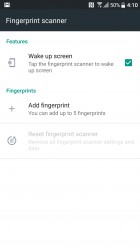
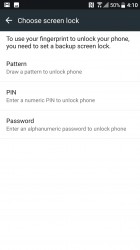
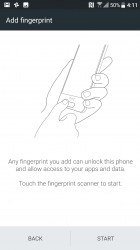
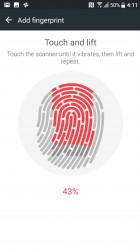
Setting up the fingerprint reader
The Sense Home hasn't changed much. BlinkFeed is still on the left, waiting for you to disable it or add content from various apps. All supported apps are listed when you hit the + button, even ones not installed (those take you to the Play Store).
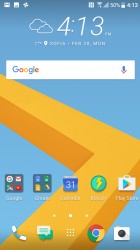
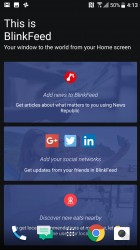
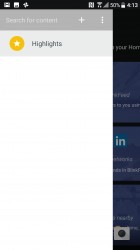
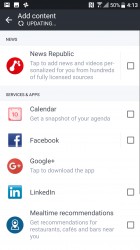
BlinkFeed remains a stable of the Sense homescreen
By the way, if you notice annoying notifications about Themes, "Designer updates", promotions from HTC and others, those can be disabled from the homescreen settings. Also here you'll find some data sharing toggles - precise location (used to recommend nearby restaurants and other places) and personal usage data (this one is off by default, it tracks apps you use, sites you visit, what you watch and listen to).
The Themes app is a one stop shop for homescreen customizations. You can install whole themes or individual wallpapers, icon packs and fonts.
We really like the Freestyle layout themes. Those not only change the wallpaper and icon pack, but arrange shortcuts in a fitting way. Notice that they also change the clock widget style to match.
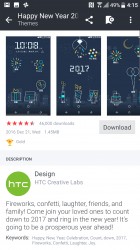
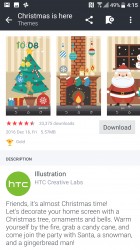
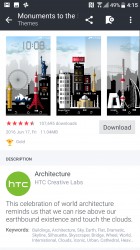
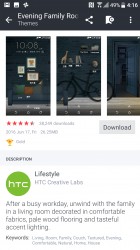
Some of our favorite themes for the HTC 10 evo
The App drawer feels very HTC. It's organized in vertical scrolling by pages with the dark background (you can set a custom wallpaper here). Unwanted apps can be hidden - there was a moderate amount of bloatware on the unit we received.
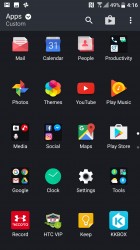
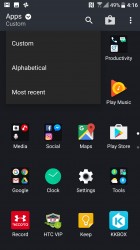
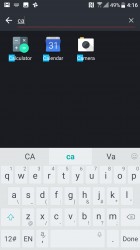
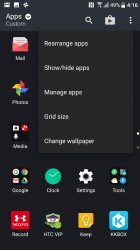
The app drawer is familiar and functional
The HTC 10 evo comes with 32GB of storage. Of that, 8GB are reserved for the system and by the time the apps finish their first updates, you'll lose another gig. So that microSD card slot may come in handy.
Moving on, HTC has left many Nougat things untouched. The Notification area is simple enough - one pull for toggles and notifications, second pull for all toggles. The latest version of the OS supports things like Quick reply, which allows you to shoot back a text message straight from the notification area.
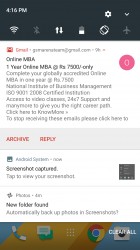
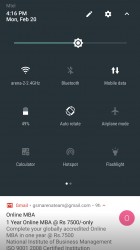
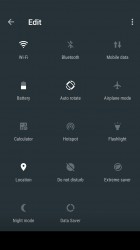
The Nougat notification area
The App switcher is similarly unchanged. You can drag an app card to one side of the screen to go into Multi window mode. A double tap on the app switcher key alt+tabs between the two most recently used apps.
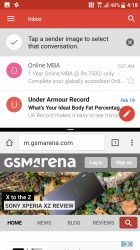
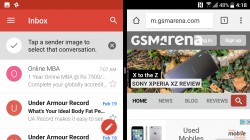
Multi window, the best Nougat feature
Several power user toggles hide in the Boost+ app. There are automatic optimizations like Boost and Clear junk along with ones that give you the controls. Optimize background apps can disable apps you haven't used in 3 days (this can be disabled per app).
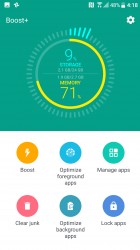
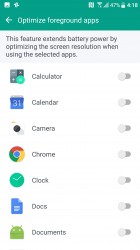
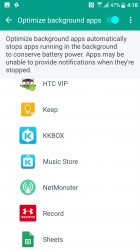
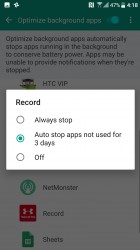
Boost+ app • Optimizing foreground apps • Background apps • 3 days of inactivity and an app gets the boot
Optimize foreground apps reduces the screen resolution they run at. This is good both for performance (QHD resolution may be too much for some games) and for battery life. There is no fine-tuning here, you can't adjust resolution and frame rate separately - an app is either optimized or it isn't, that's it.
For what it's worth, the Snapdragon 810 chipset creates a mostly smooth Nougat experience. We did notice some apps stutter when they animate, though, so it's not a perfect chipset.


Tip us
2.1m 180k
RSS
EV
Merch
Log in I forgot my password Sign up