GSMArena.com GSMArena.com

Tip us

2.1m
180k
RSS

EV

Merch

Log in

Login

I forgot my password
Sign up
  • Home
  • News
  • Reviews
  • Videos
  • Featured
  • Phone Finder
  • Deals
  • Merch
  • Coverage
  • Contact
ADVERTISEMENT
GSMArena team, 26 June 2015

Positive charge


HTC One E9+ review: Positive charge

  • Comments (104)
  • User reviews
  • One E9+

9. Web browser, other apps
  1. 1. Introduction
  2. 2. Retail package, 360-degree spin, body and design, controls, handling
  3. 3. Display, connectivity, battery life
  4. 4. User interface
  5. 5. Performance
  6. 6. Phonebook, telephony, messaging, text input
  7. 7. Zoe, gallery, players
  8. 8. Camera, image quality, video recording
  9. 9. Web browser, other apps
  10. 10. Conclusion
  11.  
  12. HTC One E9+ specification
  13. User opinions and reviews
  14. Review comments (104)

HTC Android

Chrome is all you need

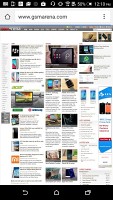
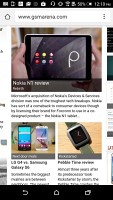
HTC One E9+ comes with Google Chrome only, which can sync the tabs you have open on other devices (desktops, tablets) with the phone. This feature also syncs your bookmarks and favorite sites and can remember passwords and login data across different platforms.
HTC One E9+ HTC One E9+ HTC One E9+ HTC One E9+
Google Chrome

Other pre-installed apps

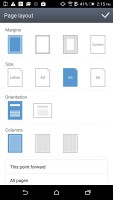
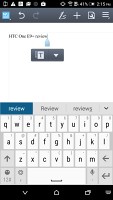
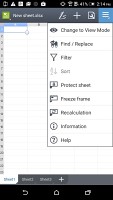
The HTC One E9+ comes with Polaris Office 5, which can view and create Word, Excel and PowerPoint files, it can display PDFs too. The app handles files stored locally along with ones in your Google Drive account. The View Together option lets you do a presentation on multiple devices by connecting them together wirelessly.

HTC One E9+ HTC One E9+ HTC One E9+ HTC One E9+
Polaris Office 5 with cloud integration

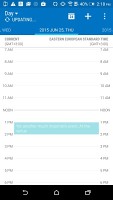
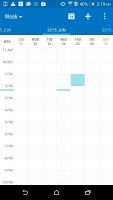
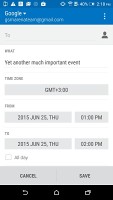
HTC has skinned the calendar to match Sense 7 looks. Adding an event lets you specify time (with a warning if there's a conflict with another event), who will attend and where the meeting will be held. Multiple online calendars are supported.

HTC One E9+ HTC One E9+ HTC One E9+ HTC One E9+
HTC Sense 7 calendar

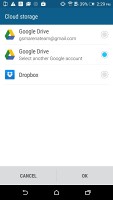
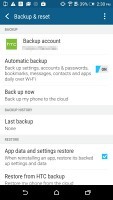
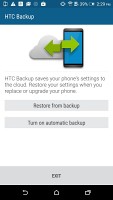
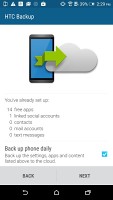
HTC Backup can do manual or scheduled backups of your apps, messages (texts and emails), contacts and accounts (mail and social). The data is sent either to Google Drive or Dropbox and you can limit the app to transfer over Wi-Fi only.
HTC One E9+ HTC One E9+ HTC One E9+ HTC One E9+
HTC Backup • backup settings

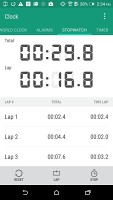
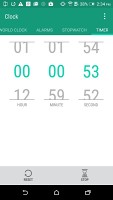
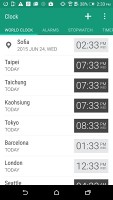
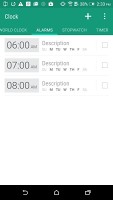
The alarm clock application can handle multiple alarms, each with its own start and repeat time. The stopwatch and timer are self-explanatory.
HTC One E9+ HTC One E9+ HTC One E9+ HTC One E9+
The clock app

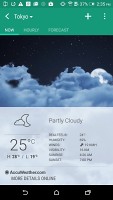
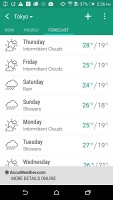
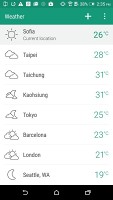
There is a cool Weather app as well, which relies on the AccuWeather services.
HTC One E9+ HTC One E9+ HTC One E9+ HTC One E9+
The weather app

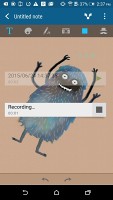
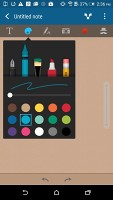
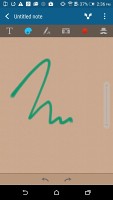
HTC Scribble handles drawing and taking notes. You can make cards, lists, diaries, to-do sheets, among others. It supports various type of multimedia content and comes with lots of predefined templates to get you started.
HTC One E9+ HTC One E9+ HTC One E9+ HTC One E9+
The HTC Scribble app

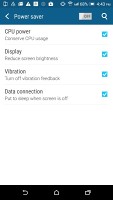
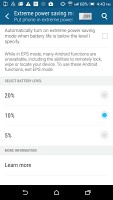
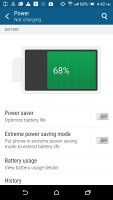
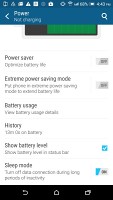
HTC has its own power saving section in settings which works on two levels. The basic power saver lets you reduce brightness and CPU power, and turn off vibration and data. Extreme power saver goes an extra mile and disables other non-vital features like remote lock.
HTC One E9+ HTC One E9+ HTC One E9+ HTC One E9+
Power saver

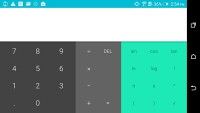
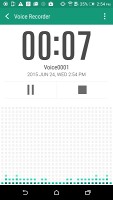
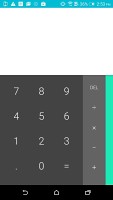
There's a bundled sound recorder on the One E9+ for basic voice memos. The calculator app is the stock Lollipop one with a side swipe from the right for advanced functions in portrait, which are always visible when in landscape.
HTC One E9+ HTC One E9+ HTC One E9+
Voice recorder • calculator in portrait and landscape

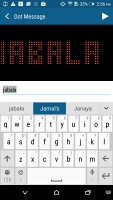
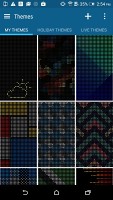
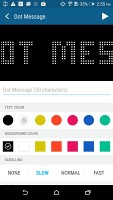
You can buy an optional DotView case for the One E9+ and the phone comes with an app preinstalled. It offers you a choice of numerous themes as well as additional personalization.
HTC One E9+ HTC One E9+ HTC One E9+
DotView app

Next Page » 10. Conclusion
9. Web browser, other apps
  1. 1. Introduction
  2. 2. Retail package, 360-degree spin, body and design, controls, handling
  3. 3. Display, connectivity, battery life
  4. 4. User interface
  5. 5. Performance
  6. 6. Phonebook, telephony, messaging, text input
  7. 7. Zoe, gallery, players
  8. 8. Camera, image quality, video recording
  9. 9. Web browser, other apps
  10. 10. Conclusion
  11.  
  12. HTC One E9+ specification
  13. User opinions and reviews
  14. Review comments (104)

Reviews HTC One E9+ reviewPage 9
  • Comments (104)
  • User reviews
  • One E9+

Phone finder

  • Samsung
  • Apple
  • Huawei
  • Nokia
  • Sony
  • LG
  • HTC
  • Motorola
  • Lenovo
  • Xiaomi
  • Google
  • Honor
  • Oppo
  • Realme
  • OnePlus
  • Nothing
  • vivo
  • Meizu
  • Ulefone
  • Alcatel
  • ZTE
  • RugOne
  • Umidigi
  • Fairphone
  • Oscal
  • Sharp
  • Micromax
  • Infinix
  • Asus
  • Tecno
  • Doogee
  • Blackview
  • Cubot
  • Oukitel
  • Itel
  • TCL

All brands Rumor mill

ADVERTISEMENT

Popular reviews

Oppo Find X10 Pro Max review
Apple iPhone 18 Pro Max review
Apple iPhone 18 Pro review
ADVERTISEMENT

ELECTRIC VEHICLES

Volkswagen takes the slow road to hands-off driving in China Volkswagen takes the slow road to hands-off driving in China XPeng sends Mona L05 to customers abroad ahead of Chinese launchAudi announces major restructuring of China operations with brand split
ADVERTISEMENT
Ads by Playwire

Home News Reviews Compare Coverage Glossary FAQ RSS Youtube Instagram TikTok Facebook Twitter

© 2000-2026 GSMArena.com Mobile version Android app Tools Contact us Merch store Privacy Terms of use