Meet Junior
HTC One mini review: Meet Junior
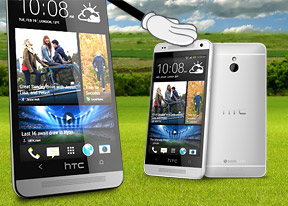
UltraPixel camera without OIS
The HTC One mini uses the 4MP UltraPixel sensor, which is about the size of most smartphone camera sensors (1/3") but uses much bigger pixels (which is also why the resolution is limited to 4MP). On the up side, bigger pixels have better performance in poor lighting conditions. The fast F/2.0 lens, which also helps low-light shooting, but there's no optical image stabilization (OIS) like on the HTC One.
The sensor has a 16:9 aspect ratio, which is perfect for viewing on the phone, on most tablets (which typically have 16:10 screens) and HDTVs. 4:3 photos would either get black bars or get cropped on these screens, which does help close the resolution gap somewhat.
The camera interface itself is pretty simple - there are two shutter keys (one for stills and one for video), above them is the gallery shortcut and below is the effects button. On the left side of the screen you get flash mode selector and the Zoe toggle.

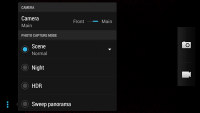
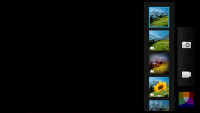
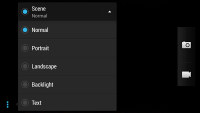
The camera interface
Now, we already covered what Zoe does after you've taken a shot, here's how the actual shooting goes. You enable Zoe (an indicator at the bottom of the screen confirms you're in Zoe mode) and tap the still shutter key. The key turns into a progress bar, counting down the three seconds during which the phone records video, reminding you to stay relatively still.
The HTC One mini camera produces good images, but despite using big "UltraPixels" and shooting in broad daylight, the images had noticeable (at 100% zoom) noise. The low resolution also means that the smallest fine detail is lost. There are oversharpening halos and some purple fringing too, but at least the color reproduction is good.
When viewed at 1080p resolution, the photos look pretty good, but there's very little room for cropping at this low resolution.




HTC One mini camera samples
Here are the same samples taken with the HTC One. You'll notice a difference in white balance, the HTC One mini images are colder (oddly, its screen is warmer than the HTC One screen, so when viewed on the two phones the photos look pretty much the same). Other than that, the images look basically the same.
Note that in some shots the two phones chose different focus. For each sample, we held the two phones in the exact same place with the focus point left at the center (the default). We took several samples of each location.




HTC One daylight samples
We were curious just how much of a difference OIS makes, so we put the HTC One mini against the big One to find out. We also tested the difference in video recording in the next chapter.
The first samples are taken in a dark room with the flash disabled. Both phones dropped the shutter speed to 1/10s and boosted the ISO to 1000 and the HTC One managed a slightly better shot, but the lack of OIS didn't seem to hurt the One mini too badly.
For the next samples, we took a step back and enabled the flash. The One had a few out of focus shots more than the mini, but other than that the photos once again looked mostly the same.


HTC One mini low-light samples


HTC One low-light samples
The HTC One mini has HDR support for both its still image and videos. In stills, HDR mode gives shadows a good boost, but it tends to wash out the highlights. At least the effect isn't as exaggerated as on the HTC One. Note that HDR photos do have some extra smearing as the phone has to align and compose a couple of different exposures.




HTC One mini: HDR off • HDR on




HTC One: HDR off • HDR on
We also tried out the panorama mode. Both phones did about the same with almost no stitching artifacts (assuming there are no moving objects).
One thing we did notice is the vertical resolution - the HTC One managed about 200px more than the One mini. Now, both shoot at the same vertical resolution but have to crop a bit from the top and the bottom as our hands bob up and down slightly. We guess the One's OIS managed to dampen those enough to score the extra resolution, but neither is particularly impressive at about 9MP total resolution.

HTC One mini panorama

HTC One panorama
Photo quality comparison
The HTC One mini has the same camera as the big HTC One, sans the stabilization. You can see how the two stack up and how they compare to other cameras using our tool's downscale option. Remember that 1080p is just over 2MP.
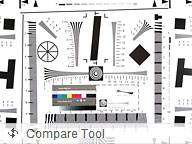
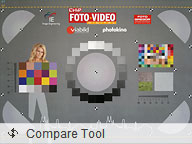

The HTC One in our Photo compare tool


Tip us
2.1m 180k
RSS
EV
Merch
Log in I forgot my password Sign up