Zen droid slim
Huawei Ascend P6 review: Zen droid slim

Organizer
The calendar features four views - Daily, Weekly, Monthly and Agenda. The app can easily handle several online calendars as well as the local calendar. You can add multiple reminders for each event and search all events.
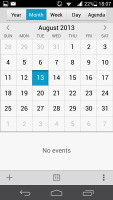
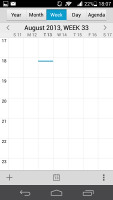
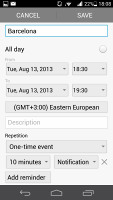

The Calendar
The clock app supports multiple alarms, each with its own start and repeat time. World Clock, Stopwatch and Timer functions are available as additional tabs.
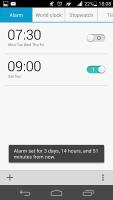
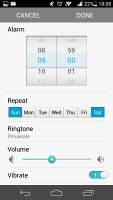
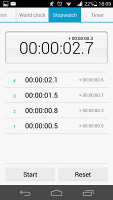
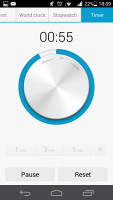
The Clock app
You also get a basic Notes app and a Sound recorder. There's a Weather app too, which offers weather info for multiple locations complete with beautiful animations.



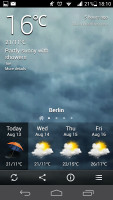
Taking notes • Sound recorder • Weather info
The good old calculator is here too - it has big, easily thumbable keys and you can swipe to the left to bring up the advanced functions (trigonometry, square root, brackets, etc.).
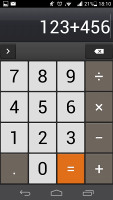
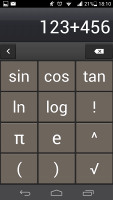
The usual calculator
Finally, there's the flashlight app.


The Flashlight app seems very familiar
Google Maps and Navigation
The Huawei Ascend P6 comes with a GPS receiver, which took about 90 seconds to get satellite lock upon a cold start. You can use the A-GPS functionality to get near instantaneous locks at the expense of some data traffic. Alternatively, network positioning will also do if you only need a rough estimate of your location.
The Ascend Mate comes with Google Maps and Navigation (region dependent). Voice-guided navigation has become a viable solution since the v5.0 update. Vector maps are smaller and easier on the data traffic and reroute is also an option even if you don't have Internet connection. In fact, the only time you need a data connection is when you initially plan the course - Navigation will cache the needed maps.
Quite naturally, the app also supports the Street View mode. If it's available in the area you're interested in, you can enjoy a 360-degree view of the surroundings. When the digital compass is turned on, it feels like making a virtual tour of the location.
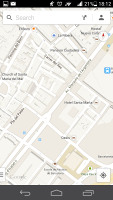
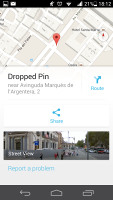

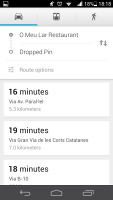
Google Maps
Google's app uses vector maps, which are very data efficient. The latest version has an easy to use interface for caching maps - you just choose "Make available offline" from the menu and pan/zoom around until the desired area is in view (there's an indicator showing how much storage caching that area will take). You can later view cached areas and delete ones you no longer need.
Note that there's a limit to the size of the area you can cache - you can't just make all of Europe available offline, not even a whole country. We managed to cache Berlin and parts of the surroundings before Maps told us the area is too big. There's no address search either in the cached maps and you can only cache map data in supported regions of the world.
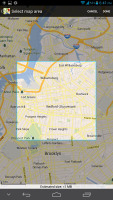
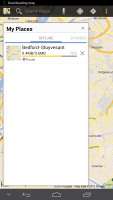
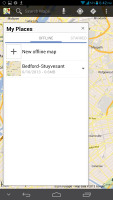
Making an area of the map available for offline usage is very easy
If Google Maps Navigation doesn't do it for you, you can grab another app from the Google Play Store (ex-Android Market) - there are both free and paid alternatives.
The Play Store
Running Android Jelly Bean, the Huawei Ascend P6 has access to the latest apps and the microSD-expandable memory guarantees you won't have trouble with storage space.
The Play Store is organized in a few scrollable tabs - categories, featured, top paid, top free, top grossing, top new paid, top new free and trending. The in-app section is untouched though and it's very informative - a description, latest changes, number of downloads and comments with rating. There is usually a demo video and several screenshots for most apps too.


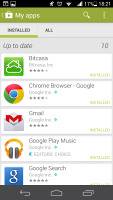

The Google Play Store


Tip us
2.1m 180k
RSS
EV
Merch
Log in I forgot my password Sign up