Aiming High
Huawei Honor 5X review: Aiming High
Gallery
The 5X's gallery app offers a Timeline view, which sorts your images by the date you've taken them. Alternatively, you can opt for the standard Album view with all of your images sorted in different albums.
Opening a single image lets you quickly delete or rotate it, as well as gives you some basic sharing options.
The info icon up top gives some pretty detailed information about the image, including a histogram. Pulling down from anywhere on the screen lets you take a quick photo without leaving the gallery. The image comes out in a square 1:1 ratio at 3,104 x 3,104px.
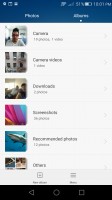
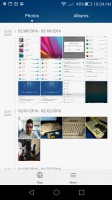

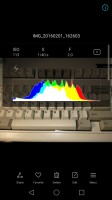

Album view • chronological view • viewing an image • detailed info • camera quick access
You can also go into a more capable editor with options for light and exposure adjustments (so you can bring out the shadows or the highlights), filters and beauty enhancements. You can adjust levels and add individual watermarks for time, location, weather, food and mood. They're gimmicky, but hey, nobody said you have to use them.
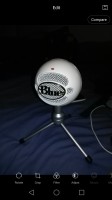
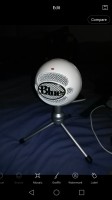

The built-in image editor has many features to tweak your photos
Video player
When it comes to playing videos, the Honor 5X's default player is pretty basic. You can adjust the playback speed, and you can even pop the video out to use on top of other apps. Once popped out, it can be moved up and down, but it cannot be resized.


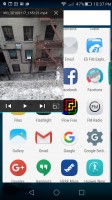
Video player is very basic, offers playback speed adjustment and pop-out video.
Music player
The Honor 5X comes with Huawei's custom music player app. It offers four playback modes - songs, artists, albums, folders. You can create your playlists, too. The background of the app changes dynamically to match the album art, which is a nice little touch.
The Now Playing screen is pretty standard; it offers album art and lyrics. There are no equalizers to speak of, but the app does have a few extra features. It would try to pull album art, song info and lyrics automatically for you.
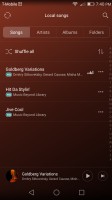
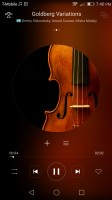
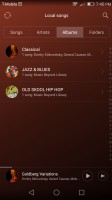
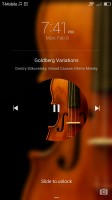
Music player
FM radio
The Honor 5X has a built-in FM receiver. It can play through the headset or the loudspeaker, but you'll need to have the headset plugged in as it serves as the antenna. We were disappointed not to find RDS support, so you'll have to name your radio stations by hand.
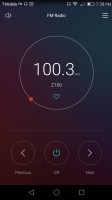
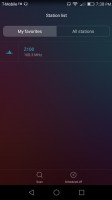
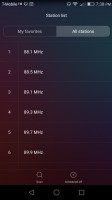
FM radio with favorites, but no RDS
Solid audio output
The Honor 5X showed perfect clarity in the first part of our audio quality test. When attached to an active external amplifier, the smartphone produced great scores top to bottom and things were pretty above average in terms of loudness too.
Damage from plugging in our standard headphones was very reasonable too - volume dropped to only average, stereo crosstalk rose a bit but the rest of the readings remained very solid. A very good showing by the mid-ranger indeed.
Here go the results so you can do your comparisons.
| Test | Frequency response | Noise level | Dynamic range | THD | IMD + Noise | Stereo crosstalk |
| Huawei Honor 5X | +0.02, -0.08 | -93.4 | 90.1 | 0.0028 | 0.012 | -93.4 |
| Huawei Honor 5X (headphones) | +0.10, -0.03 | -92.9 | 89.8 | 0.0048 | 0.071 | -78.2 |
| Samsung Galaxy A5 (2016) | +0.02, -0.07 | -94.3 | 92.2 | 0.0065 | 0.010 | -95.0 |
| Samsung Galaxy A5 (2016) (headphones) | +0.42, -0.01 | -93.4 | 87.1 | 0.029 | 0.254 | -53.0 |
| Huawei G8 | +0.02, -0.08 | -93.4 | 90.1 | 0.0028 | 0.012 | -93.4 |
| Huawei G8 (headphones) | +0.10, -0.03 | -92.9 | 89.8 | 0.0048 | 0.071 | -78.2 |
| LG G4 | +0.04, -0.07 | -93.4 | 93.3 | 0.0021 | 0.050 | -92.6 |
| LG G4 (headphones) | +0.93, -0.13 | -91.4 | 91.9 | 0.013 | 0.244 | -50.4 |
| HTC One M9 | +0.02, -0.06 | -94.8 | 93.0 | 0.0049 | 0.026 | -93.7 |
| HTC One M9 (headphones attached) | +0.03, -0.05 | -93.7 | 92.7 | 0.0082 | 0.030 | -91.6 |
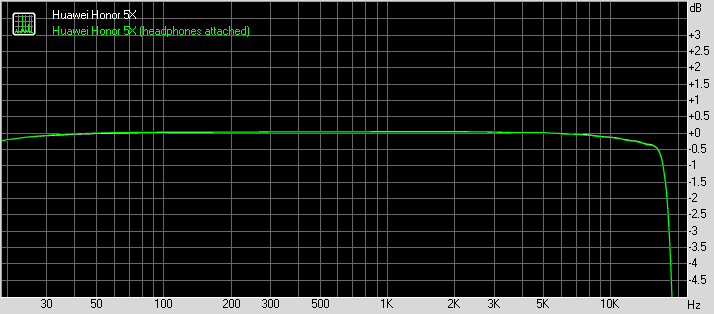
Huawei Honor 5X frequency response
You can learn more about the tested parameters and the whole testing process here.


Tip us
2.1m 180k
RSS
EV
Merch
Log in I forgot my password Sign up