GSMArena.com GSMArena.com

Tip us

2.1m
180k
RSS

EV

Merch

Log in

Login

I forgot my password
Sign up
  • Home
  • News
  • Reviews
  • Videos
  • Featured
  • Phone Finder
  • Deals
  • Merch
  • Coverage
  • Contact
ADVERTISEMENT
GSMArena team, 18 July 2012

Twice the power


Meizu MX 4-core review: Twice the power
  • Comments (60)
  • User reviews
  • MX 4-core

8. Web browser, office package, organizer
  1. 1. Introduction
  2. 2. Unboxing, 360-degree view, design and controls
  3. 3. Display, handling
  4. 4. User interface, performance
  5. 5. Phonebook, telephony, messaging
  6. 6. Image player and file browser, video and music players, audio quality
  7. 7. Camera, image quality, video recording and quality, connectivity
  8. 8. Web browser, office package, organizer
  9. 9. Document viewer, maps, app stores
  10. 10. Conclusion
  11.  
  12. Meizu MX 4-core specification
  13. User opinions and reviews
  14. Review comments (60)

Meizu Android Touch UI

Redesigned web browser is great

The web browser plays a central role in the Meizu MX 4-core as evidenced by its shortcut's position - the middle shortcut in the dock at the bottom of the homescreen, which is usually where the app drawer shortcut goes (or the dialer shortcut).

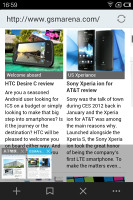
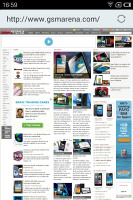
The user interface of the browser has been completely redesigned (compared to vanilla Android) and we found a couple of things we really liked about it. The back end is the same as on all Androids, so you can expect the same level of compatibility and speed you're used to.

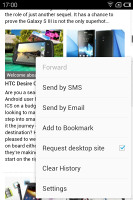
Anyway, the browser interface dedicates almost the entire screen to the web page, save for the status bar on top. To bring out more controls, you tap the Menu key.

The controls include the standard stuff - address bar on top and several buttons at the bottom (new tab, close tab, bookmarks,etc.). Above those controls is a line of thumbnails of all the tabs. You can switch tabs or close them from here. It's one of the best tab management solution we've seen on a mobile browser yet.
Meizu MX 4-core Meizu MX 4-core Meizu MX 4-core Meizu MX 4-core
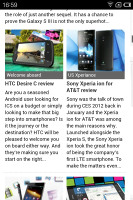
The browser has a very capable custom interface

The browser supports double tap and pinch zooming. It's really fast and fluid too. There are also goodies like text reflow or sharing an URL over email or SMS.

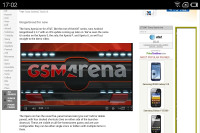
The browser came without Flash preinstalled, but we installed it manually from the Play Store and it worked. 1080p YouTube videos played fine without any lag or visual artifacts. We tested the dual-core MX after the update and it did a splendid job with the full HD videos as well. Flash games played without a hitch, too.
Meizu MX 4-core
Watching a YouTube video

Meizu also supports HTML5 videos, which are the future of mobile video streaming, so we can't really give the browser anything but a great mark

The organizer covers the basics

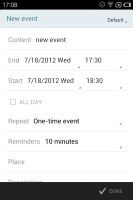
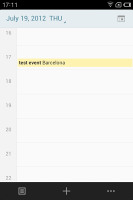
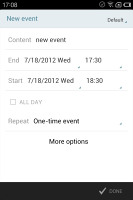
The Meizu MX 4-core features a calendar that supports multiple online accounts. It offers monthly, weekly, daily and agenda views and is pretty straightforward to work with. Creating a new event lets you set which calendar to store it in, along with a reminder.

Meizu MX 4-core Meizu MX 4-core Meizu MX 4-core Meizu MX 4-core
The calendar

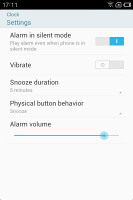
Moving on, we have the Clock app that will handle multiple alarms with custom repeat times, ringtones, snooze time and labels. There are also a stopwatch and timer integrated within the Clock app.
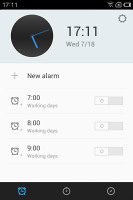
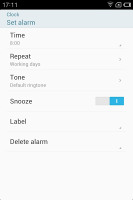
Meizu MX 4-core Meizu MX 4-core Meizu MX 4-core
You can set multiple alarms with different repeat patterns

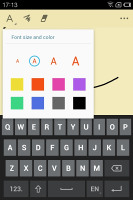
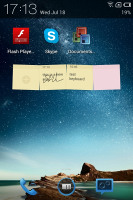
The Notes app offers four different colors for the background of a note, which will be helpful if you want to organize them into several categories. There's a widget accompanying the Notes app, which displays the most recent notes and offers a quick shortcut for creating new ones.
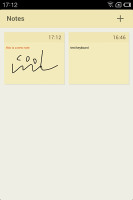
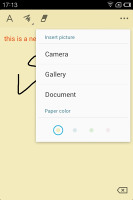
Meizu MX 4-core Meizu MX 4-core Meizu MX 4-core Meizu MX 4-core
The Notes app helps you stay organized with different colors • The Notes widget

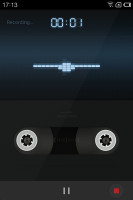
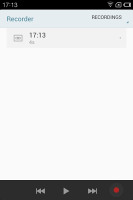
The Recorder app rounds off the organizer functionality of the phone. It offers the option to record calls, which some might find useful.
Meizu MX 4-core Meizu MX 4-core
Recorder app

A calculator app is also on board.

Meizu MX 4-core
Calculator

Next Page » 9. Document viewer, maps, app stores
8. Web browser, office package, organizer
  1. 1. Introduction
  2. 2. Unboxing, 360-degree view, design and controls
  3. 3. Display, handling
  4. 4. User interface, performance
  5. 5. Phonebook, telephony, messaging
  6. 6. Image player and file browser, video and music players, audio quality
  7. 7. Camera, image quality, video recording and quality, connectivity
  8. 8. Web browser, office package, organizer
  9. 9. Document viewer, maps, app stores
  10. 10. Conclusion
  11.  
  12. Meizu MX 4-core specification
  13. User opinions and reviews
  14. Review comments (60)

Reviews Meizu MX 4-core reviewPage 8
  • Comments (60)
  • User reviews
  • MX 4-core

Phone finder

  • Samsung
  • Apple
  • Huawei
  • Nokia
  • Sony
  • LG
  • HTC
  • Motorola
  • Lenovo
  • Xiaomi
  • Google
  • Honor
  • Oppo
  • Realme
  • OnePlus
  • Nothing
  • vivo
  • Meizu
  • Ulefone
  • Alcatel
  • ZTE
  • RugOne
  • Umidigi
  • Fairphone
  • Oscal
  • Sharp
  • Micromax
  • Infinix
  • Asus
  • Tecno
  • Doogee
  • Blackview
  • Cubot
  • Oukitel
  • Itel
  • TCL

All brands Rumor mill

ADVERTISEMENT

Popular reviews

Apple iPhone 18 Pro Max review
Apple iPhone 18 Pro review
Galaxy Tab S12 Ultra review
ADVERTISEMENT

ELECTRIC VEHICLES

Here's another Multipla-inspired concept from Fiat called Multiplina Here's another Multipla-inspired concept from Fiat called Multiplina The floating 1,197-HP Yangwang U8 now patrols the streets of DubaiQuantumScape hires Muehlbauer to build its first 100 MWh solid-state battery production line
ADVERTISEMENT
Ads by Playwire

Home News Reviews Compare Coverage Glossary FAQ RSS Youtube Instagram TikTok Facebook Twitter

© 2000-2026 GSMArena.com Mobile version Android app Tools Contact us Merch store Privacy Terms of use