Sharp-witted shooter
Nokia 6220 classic review: Sharp-witted shooter

Customization options
The Nokia 6220 classic main menu offers four different view modes. Two of them are the traditional 3 x 4 grid and 6-item list. In addition, you can set icon animation.
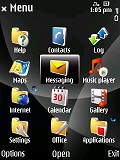
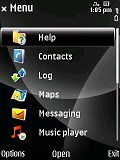
Grid and list menu view modes
The other two available modes are the 3D V-shape and Horseshoe views. Though visually appealing, they are not really the most user-friendly we've seen. Font sizes are also configurable depending on your preferences.
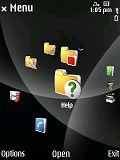

The two other options: V-shape and Horseshoe
In addition, there's a choice of five preinstalled themes on Nokia 6220 classic. The rest is left to the imagination of the user, as there are plenty of others around the internet.
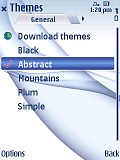
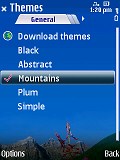
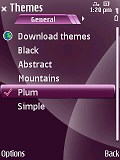
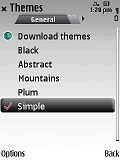
The other four available themes
Phonebook knows no limits
The Symbian powered Nokia 6220 classic has an excellent phonebook with virtually unlimited capabilities. The whole internal memory can theoretically be used for saving contacts but we can't imagine a scenario where that will be necessary. Contacts can be freely ordered by first or last name and can naturally be searched by gradual typing.
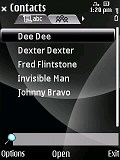
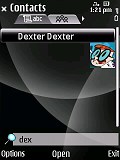
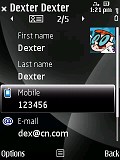
The phonebook is simply great
Editing a contact offers a great variety of preset fields and you can replicate each of them as many times as you like. You can also create new fields if you happen to be able to think of one. Quite naturally, personal ringtones and videos are also available for assigning. If you prefer you may group your contacts and give each group a specific ringtone.
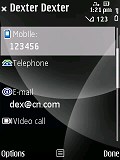
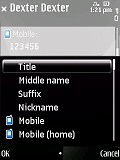
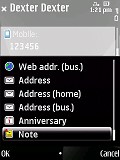
A huge number of fields is available when editing a contact
The Call log application, although not exactly a part of the phonebook, is also a Symbian asset. It stores up to 20 call records in each of the tabs for outgoing, received and missed calls. These are all accessed by pressing the Call key on the homescreen.
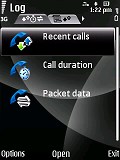
Call log application
If you enter the Log application from the main menu, you'll see a detailed list of all your network communications for the past 30 days. These include messages, calls and data transfers. The period can be shortened to save some space but you are quite unlikely to do that, as even with a huge number of calls the log only takes a few miserly kilobytes of memory space.
Symbian messaging
We're dealing with a Nokia smartphone and there's no doubt the software backing is all there. You can't frown at the messaging proficiency of the 6220 classic and, sadly, that makes the lame keypad even more detestable.
The Nokia 6220 classic supports all common message types - SMS, MMS and email. The SMS and MMS share an editor. It is the well known intuitive application from previous Symbian S60 smartphones. It has a counter of characters left to the limit of 160. There is also an indicator in brackets showing the number of separate parts the message will be divided into for sending.
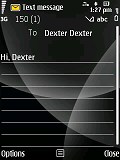
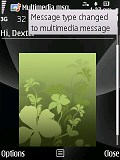
The SMS and MMS share an editor
Message delivery reports can be activated, which pop up on the standby screen and are subsequently saved in a dedicated folder in the messaging sub-menu. When you are exiting the message editor without having sent the message, the editor prompts saving it to the Drafts folder or discarding it.
All it takes to convert a common SMS into an MMS is insert some multimedia content. A nice feature allows resizing pictures automatically for sending via MMS.
Nokia 6220 classic also features the dedicated audio message editor. It allows you to either record the message on the spot or use a previously recorded sound clip.
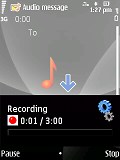
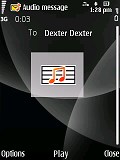
The audio message editor
The email client is also very similar to what previous Symbian powered phones have offered. The handset sports the ultra easy email setup. If you are using any public email service (it has to be among the over 1000 supported providers), all you have to do is enter your username and password to start enjoying email-on-the-go. The phone downloads all the needed settings to get you going in no time.
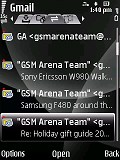
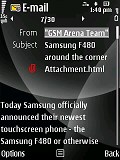
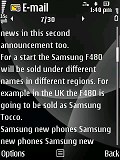
The email client can please even the most demanding user
The client can download headers only or entire messages, and can be set to automatically check mail at a given interval. There is also support for attachments, signatures and basically you can hardly think of something important that the classic is missing.

Tip us
1.7m 126k
RSS
EV
Merch
Log in I forgot my password Sign up