Droid on display
Samsung Exhibit 4G review: Droid on display
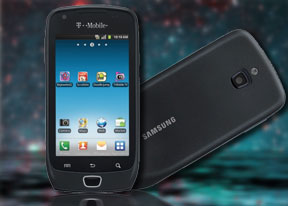
The phonebook is great as usual
The phonebook in the Samsung Exhibit 4G is nothing short of excellent. It has unlimited capacity and all the functionality you could want. The contacts application displays contacts stored in the SIM card, in your Google account or in the phone memory.
The TouchWiz interface has been at work in the phonebook bringing some special features. Instead of just flick-scrolling the list of people in the phonebook, you can search the entries by either typing the name of the person in the search box or by using the alphabet scroll at the right side of the screen.
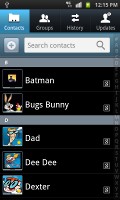


The Exhibit 4G phonebook
The main contact list view hides some useful shortcuts too. Swiping your finger to the right on a name will dial the contact’s default number, while a swipe to the left will start the message composer. The side-sweeping shortcuts are part of the TouchWiz UI and work in other lists too where you have names or numbers (such as the messaging menu).
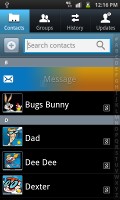
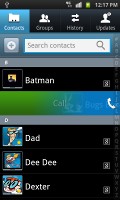
Swiping on a contact’s name or number in the log will start a call or launch the message composer
Good telephony
The Exhibit 4G handled calls great. It held on to signal everywhere we took it and the in-call quality was superb. There were no dropped calls either.
Smart Dialing is available and works beautifully. Tap a digit and it searches both contact numbers and names for it. If more than one contact is found, there’s a number and an arrow, which show you the rest of the matches.



The Exhibit 4G has smart dial
Thanks to the proximity sensor, your screen will automatically turn off during a call. The available options during a call include taking a note, using the keypad, muting, holding the call or adding another call to this conversation.
The call log is situated within the dialer. It shows all the dialed, received and missed calls in one list, which can be filtered to show only certain type of events.
Great messenger
As a typical Android device, the Samsung Exhibit 4G packs a lot of punch in the messaging department.
The messaging application itself is quite straightforward. It has a new message button and bellow it are all the received messages organized in threads.
The same swiping functionality found in the phonebook has been integrated here as well. A swipe to the left starts a new message, while swiping to the right will start a call.
The application-specific search lets you quickly find a given message among all your stored SMS and MMS.

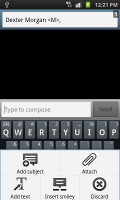
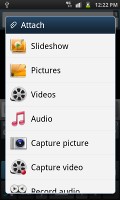
Creating a text message on the Samsung Exhibit 4G\
Adding multimedia content to a text message automatically turns into an MMS. You can just quickly add a photo or an audio file to go with the text or – depending on your needs – you can choose to go into a full-blown MMS editor.
Email can be handled either by the standard Gmail app or the generic email app. The Gmail one supports batch operations, which allows multiple emails to be archived, labeled or deleted. Multiple Gmail accounts are supported too. The latest update made the Gmail app even better by adding more customization options such as different ringtones for each mailbox, etc.

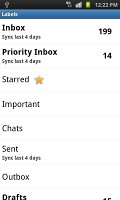

The Gmail app
The generic email application is used for all your other non-Gmail email accounts and supports multiple POP or IMAP inboxes. You have access to the original folders that are created online, along with the standard local ones such as inbox, drafts and sent items.
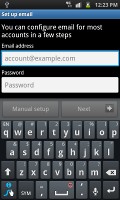
The standard Samsung email app
Google Talk handles the Instant Messaging department. The G-Talk network is compatible with a variety of popular clients like Pidgin, Kopete, iChat and Ovi Contacts.
The text input is handled by the preinstalled SWYPE virtual keyboard. You can swipe your way across the keyboard to type the desired word. When there is more than one option, the suggestions come quite handy.

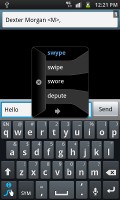
The Swype virtual keyboard


Tip us
2.1m 180k
RSS
EV
Merch
Log in I forgot my password Sign up