Samsung Galaxy A80 review
OneUI to rule all Samsungs
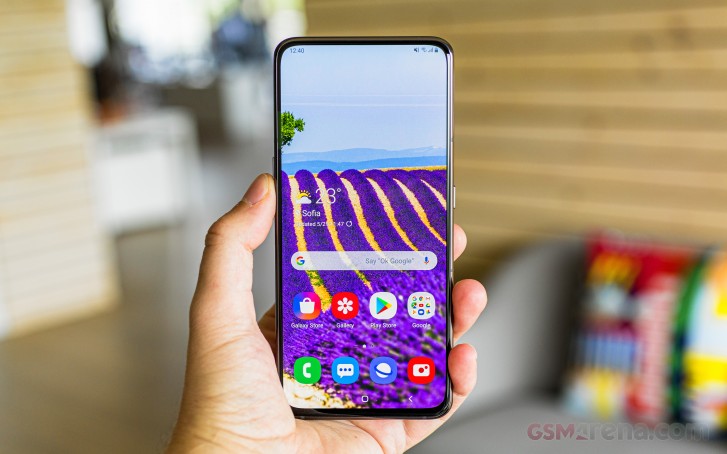
The Galaxy A80 runs Samsung's custom OneUI over Android 9.0 Pie. OneUI debuted on the S10 in the Spring bringing new iconography, improvements in single-handed use, gestures and whatnot, and by now we're quite familiar with it. It's also pretty consistent across the lineup, so the A80's software experience will look and feel a lot like it does on an S10.
Before you get to OneUI, however, you're greeted by the Always On display, which as of this iteration of the Samsung custom overlay can be set to only show when you double tap on the screen, in addition to being able to setup a daily schedule as before. You can, of course, keep it always on.
Biometric security on the A80 comes only in the form of a fingerprint sensor, an under-display one. There is no face unlock capability, and in all fairness the popup mechanism is among the slower ones, so you wouldn't really want to use it for that. The fingerprint reader is the optical variety, unlike the S-series ultrasonic ones, but it's not quite as quick as the similar implementations by, say, OnePlus. It does the job though, and it's always on itself - no need to wake the phone first, just place your finger on top. It becomes second nature where exactly to look for it a few days into using the A80.
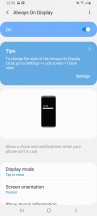

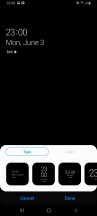
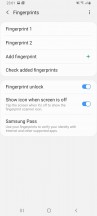


Always on display • Fingerprint reader settings
You're then taken to the homescreen with the large colorful OneUI icons. You'll likely appreciate the fact that the quick toggles pull all the way down for easy reach - one of OneUI's key features. It boggles the mind then why folders still open full-screen with the apps in them high up. Another thing that's changed for the worse is the handling of multi-window with most of the options now missing, but it's also part Google's fault for making it so clunky in Android Pie.


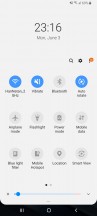
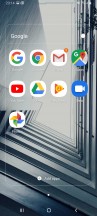

Homescreen • Notifications • Quick toggles • Folder view • Task switcher • Multi window
Pie is all about gesture navigation and Samsung's offering one take on the process. Conventional buttons are replaced by swipes from the bottom of the screen with the swipes doing what the buttons that used to be there did. Similarly to the also available navigation bar, you can swap the back and recent apps keys, and you can also hide the gesture pointers altogether. It's not quite the full-on gesture interaction you can have on a Xiaomi or a Huawei phone, but it's gestures alright.
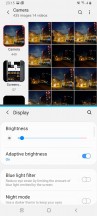
Samsung's also implemented a Night mode, which turns UI elements black or dark gray. It works in settings and notifications as well as in-house apps like the Gallery and the Samsung browser. Open the Play Store, for example, though, and the magic is ruined. Until Google implements a system-wide Dark mode with Android Q, you would have to switch each app manually.
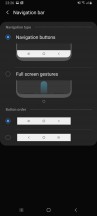
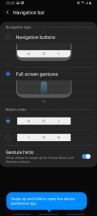

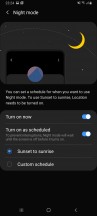

Gesture navigation options • Night mode
In line with the rest of the UI changes, the general Settings menu has been revamped too. It's pretty compact, and some of the settings you might be looking for have ended up elsewhere. For example, the Device care sub-menu now accommodates the Battery settings and information, storage and memory management and the security features.
Tapping on the Battery icon will open up the familiar battery menu full of settings and adjustments. Aside from the usual info and features which you'd find on pretty much every other Android handset, Samsung has added a couple of additional options.
You have three power modes - Optimized, Medium-power saving and Maximum power saving. Optimized is the default one with performance cranked up to the maximum. In the upper right corner of the battery menu sits another sub-menu giving you more granular control over your power consumption.
Google's push for the so-called Digital wellbeing has reached Samsung's One UI too. If you were ever wondering how much time you spend on your phone and which apps you mostly used, the Digital well-being sub-menu would give you the details. It's cool, but it will probably stay unused by most users.
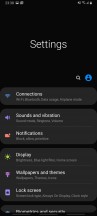
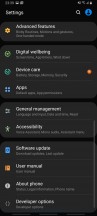
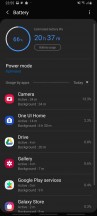
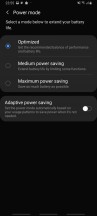
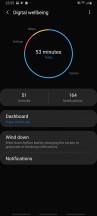
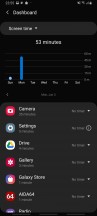
Settings • Battery modes • Digital wellbeing
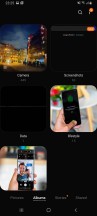
For multimedia you have the new Gallery app by Samsung for browsing photos and videos, while Play Music handles your music, but with the help of proprietary Samsung enhancements. There is also an FM radio app on board, a proprietary My Files file manager app, the Game launcher utility, and Bixby assistant (but no hardware key on the A80, so who cares).


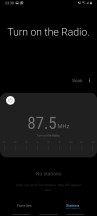
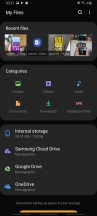


Gallery • Audio settings • FM Radio • My Files • Game Launcher • Bixby Assistant (not even set up)
Synthetic benchmarks
The Galaxy A80 has the Snapdragon 730 inside - a powerful upper midrange chip from Qualcomm, which is in fact the best you can get outside of the 800-series SoCs. It's built on an 8nm production process and features an octa-core CPU in a 2x2.2 GHz Kryo 470 Gold & 6x1.8 GHz Kryo 470 Silver configuration plus an Adreno 618 GPU. There's a single memory tier of 8GB of RAM and 128GB of storage.
Mind you, the Galaxy A80 isn't priced all too competitively, and for the same money you could snatch a phone with the proper high-end Snapdragon 855 chip or one of Huawei's numerous models with a Kirin 980. That's not exactly helping the Galaxy's case in this section, where the numbers don't lie.
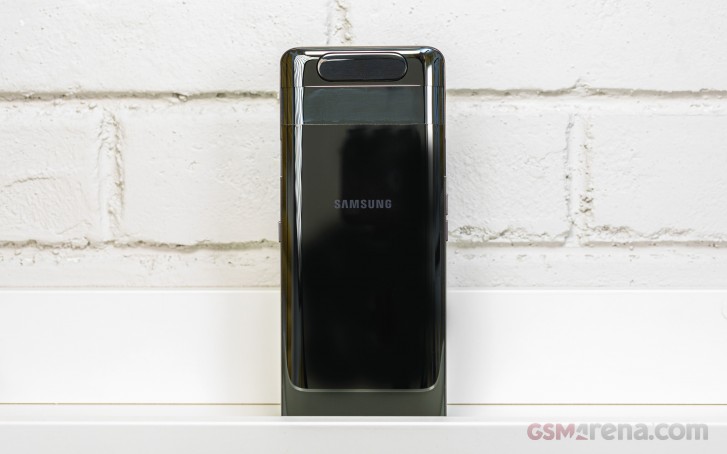
In the CPU-only GeekBench, the Galaxy A80 shows a small advantage over Snapdragon 675 handsets in both single-core and multi-core tests. The S710 phones are a little further behind still, and so are the S660 models from yesteryear. However, the superiority of the S855 models and the Kirin 980-based units is undeniable.
GeekBench 4.1 (multi-core)
Higher is better
-
Xiaomi Mi 9
11181 -
OnePlus 7 Pro
10943 -
OnePlus 7
10768 -
Asus Zenfone 6
10721 -
Huawei P30 (perf. mode)
10114 -
Huawei P30
9789 -
Honor View 20
9530 -
Samsung Galaxy A80
6934 -
Xiaomi Redmi Note 7 Pro
6620 -
Samsung Galaxy A70
6584 -
vivo V15 Pro
6527 -
Oppo F11 Pro
6020 -
Oppo RX17 Pro
5944 -
Realme X
5915 -
Realme 3 Pro
5881 -
Samsung Galaxy A9 (2018)
5763 -
Samsung Galaxy A50
5396
GeekBench 4.1 (single-core)
Higher is better
-
Asus Zenfone 6
3505 -
Xiaomi Mi 9
3503 -
OnePlus 7 Pro
3402 -
OnePlus 7
3380 -
Huawei P30 (perf. mode)
3351 -
Huawei P30
3295 -
Honor View 20
3211 -
Samsung Galaxy A80
2516 -
Xiaomi Redmi Note 7 Pro
2404 -
Samsung Galaxy A70
2391 -
vivo V15 Pro
2386 -
Oppo RX17 Pro
1835 -
Samsung Galaxy A50
1715 -
Samsung Galaxy A9 (2018)
1611 -
Oppo F11 Pro
1560 -
Realme X
1475 -
Realme 3 Pro
1471
Graphics benchmarks tell a similar story. The Galaxy A80 is the most powerful midranger around and outputs fps numbers higher than any other phone with non-flagship SoC. The thing is, though, high-end chipsets can be had for as much or less money than what Samssung charges for the A80.
GFX 3.1 Manhattan (1080p offscreen)
Higher is better
-
Asus Zenfone 6
71 -
Xiaomi Mi 9
70 -
OnePlus 7 Pro
68 -
OnePlus 7
67 -
Huawei P30 (perf. mode)
56 -
Huawei P30
54 -
Honor View 20
53 -
Samsung Galaxy A80
30 -
Oppo RX17 Pro
23 -
Realme 3 Pro
23 -
vivo V15 Pro
17 -
Xiaomi Redmi Note 7 Pro
17 -
Samsung Galaxy A9 (2018)
15 -
Samsung Galaxy A70
15 -
Samsung Galaxy A50
14 -
Oppo F11 Pro
14
GFX 3.1 Manhattan (onscreen)
Higher is better
-
OnePlus 7
57 -
Asus Zenfone 6
57 -
Xiaomi Mi 9
56 -
Honor View 20
50 -
Huawei P30
48 -
Huawei P30 (perf. mode)
48 -
OnePlus 7 Pro
33 -
Samsung Galaxy A80
26 -
Realme 3 Pro
20 -
Oppo RX17 Pro
19 -
Xiaomi Redmi Note 7 Pro
15 -
Samsung Galaxy A9 (2018)
14 -
vivo V15 Pro
14 -
Samsung Galaxy A50
13 -
Samsung Galaxy A70
13 -
Oppo F11 Pro
12
GFX 3.1 Car scene (1080p offscreen)
Higher is better
-
Asus Zenfone 6
42 -
Xiaomi Mi 9
42 -
OnePlus 7 Pro
41 -
OnePlus 7
41 -
Huawei P30 (perf. mode)
33 -
Honor View 20
30 -
Huawei P30
29 -
Samsung Galaxy A80
17 -
Oppo RX17 Pro
13 -
Realme 3 Pro
13 -
Samsung Galaxy A50
9.2 -
Samsung Galaxy A9 (2018)
9.1 -
vivo V15 Pro
8.8 -
Xiaomi Redmi Note 7 Pro
8.7 -
Oppo F11 Pro
8.5 -
Samsung Galaxy A70
8
GFX 3.1 Car scene (onscreen)
Higher is better
-
OnePlus 7
36 -
Asus Zenfone 6
36 -
Xiaomi Mi 9
35 -
Honor View 20
28 -
Huawei P30 (perf. mode)
28 -
Huawei P30
26 -
OnePlus 7 Pro
19 -
Samsung Galaxy A80
14 -
Oppo RX17 Pro
11 -
Realme 3 Pro
11 -
Samsung Galaxy A9 (2018)
8.3 -
Samsung Galaxy A50
8 -
Xiaomi Redmi Note 7 Pro
7.9 -
Oppo F11 Pro
7.4 -
vivo V15 Pro
7.1 -
Samsung Galaxy A70
7
3DMark SSE 3.1 Unlimited
Higher is better
-
Asus Zenfone 6
6263 -
OnePlus 7 Pro
6093 -
OnePlus 7
6058 -
Xiaomi Mi 9
5816 -
Huawei P30 (perf. mode)
4329 -
Huawei P30
3597 -
Honor View 20
3025 -
Samsung Galaxy A80
2543 -
Oppo RX17 Pro
1976 -
Samsung Galaxy A50
1353 -
Oppo F11 Pro
1275 -
Xiaomi Redmi Note 7 Pro
1220 -
vivo V15 Pro
1206 -
Samsung Galaxy A70
1112
Guess what, the distinction continues into Antutu, where the Galaxy A80 is easily the highest-scoring phone outside of flagship territory.
AnTuTu 7
Higher is better
-
Xiaomi Mi 9
372006 -
OnePlus 7
365085 -
OnePlus 7 Pro
364025 -
Asus Zenfone 6
361679 -
Huawei P30 (perf. mode)
314595 -
Huawei P30
287960 -
Honor View 20
275413 -
Samsung Galaxy A80
207502 -
vivo V15 Pro
180774 -
Xiaomi Redmi Note 7 Pro
180754 -
Samsung Galaxy A70
167750 -
Realme 3 Pro
155647 -
Oppo RX17 Pro
154861 -
Oppo F11 Pro
150218 -
Samsung Galaxy A50
144574 -
Samsung Galaxy A9 (2018)
140500
Ultimately, the Galaxy A80 is in a weird spot in terms of price vs. performance. It's packing a brawny midrange SoC that outperforms all other non-flagship smartphones. The only trouble is that actual flagships exist that cost less than an A80. We get that this Galaxy's price can be explained by reasons other than sheer performance. What we're saying is that if you want the most oomph for your buck, you need to look elsewhere.


Tip us
2.1m 180k
RSS
EV
Merch
Log in I forgot my password Sign up