Fast at the core
Samsung Galaxy Core LTE review: Fast at the core
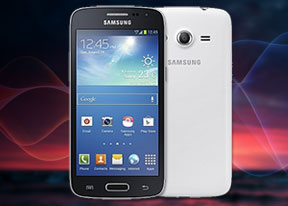
Feature-rich gallery
When viewing an album's contents, a right swipe will reveal a bar that lets you browse images in split-screen mode. You can also use a pinch gesture to adjust the size of the thumbnails.
The gallery naturally supports full-res images which results in a pleasant viewing experience thanks to the ample screen and sharp colors. There's even an Adobe RGB screen more for even more accurate color rendering.
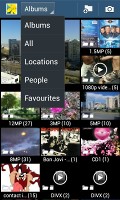
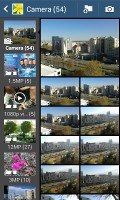

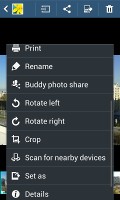
The Gallery • Viewing an image
You can easily edit photos right in the Gallery itself. The photo editor gives you options like crop, rotate, color and effects, and even lets you write a note over the picture.
The Gallery supports slideshows too, with several transition effects to choose from and customizable music and speed.
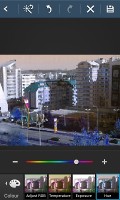

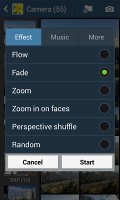
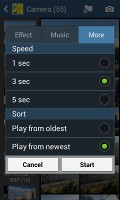
Editing an image • Slideshow options
TouchWiz music player
The TouchWiz music player is jam-packed with features and supports a wide variety of file formats, including .FLAC, .WAV, etc.
Music is sorted by the usual Artist, Album, Playlist, etc. but there's also Folder support that's quite handy as it saves you the need to sort songs into playlists like on so many other players. It can also search for content on other devices like PCs on the same network via its DLNA functionality.
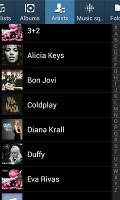
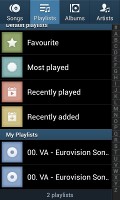
Samsung Music player
Samsung has enabled equalizer presets (including a custom one with 7 bands) along with sound-enhancing SoundAlive technology from its MP3 and Android-powered media players, which features 7.1 channel virtualization.
There's also a Music square feature that's is quite similar to Sony's SensMe. It automatically rates a song as exciting or calm, passionate or joyful and lets you build playlists based on mood rating.
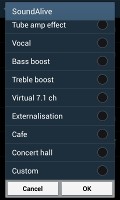
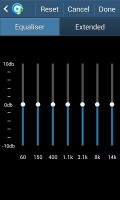
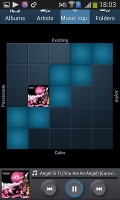
SoundAlive equalizer and Music Square options
The Now playing screen gives you the usual options as well lyrics support, and an AllShare shortcut for streaming content to other devices.
While listening to a song you can find music controls in the notification area and the lockscreen.

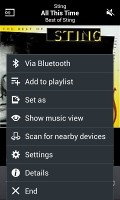
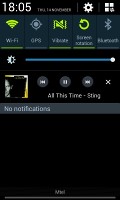

Music player options • controls in the notification area and lockscreen
The Galaxy Core LTE comes equipped with an FM Radio with RDS. The interface is simple - there's a tuning dial and you can save as many as 12 stations as favorites. You can also play on the loudspeaker, but the headset is still needed as it acts as the antenna. You can record radio broadcasts as well.
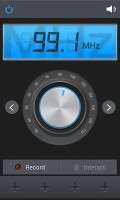
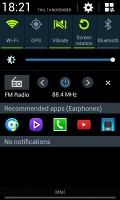
FM Radio
Decent video player, but no DivX or AC3 codec support
The video player on the Samsung Galaxy Core LTE features a thumbnail view by default, which on more advanced Samsung phones would be animated but on the Core LTE are static.
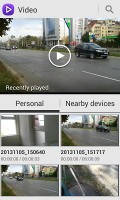
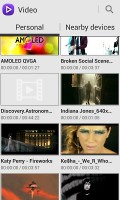
Extensive subtitle options
Besides being able to choose between three crop modes for how the video fits the screen, you can also adjust the brightness, color tone and enable outdoor visibility mode.
The Samsung Galaxy Core LTE offered a list of subtitles and let us pick. It scans all available subtitle files, so the file doesn't even have to have the same name as the video file as before.
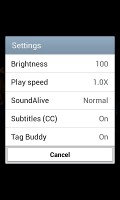


Video player
The video player is capable enough outside the glaring omission of the DivX video codec support and the AC3 audio codec support, both of which are subject to license fees so we guess they were scrapped out of economical reasoning.
Nicely clean audio output
The Samsung Galaxy Core LTE did quite well in our audio quality test. It produced excellent scores when plugged into an active external amplifier and only let its stereo quality slide when we plugged in a pair of headphones.
The frequency response was faultless, the signal-to-noise ratio and dynamic range were great too and there was no detectable distortion. The only downside to the Galaxy Core LTE performance were its rather low volume levels.
Not everyone listens to music at maximum volume so this might or might not matter to you, but it prevents us from giving a perfect overall score to this one. Well that and the fairly high stereo crosstalk when you plug in a pair of headphones.
And here go the results so you can see for yourselves.
| Test | Frequency response | Noise level | Dynamic range | THD | IMD + Noise | Stereo crosstalk |
| Samsung Galaxy Core LTE | +0.02, -0.04 | -90.3 | 88.9 | 0.0030 | 0.040 | -85.4 |
| Samsung Galaxy Core LTE (headphones attached) | +0.06, -0.02 | -89.0 | 89.3 | 0.0078 | 0.047 | -48.3 |
| Nokia Lumia 625 | +0.13, -0.10 | -90.3 | 90.3 | 0.013 | 0.355 | -82.5 |
| Nokia Lumia 625 (headphones attached) | +0.24, -0.00 | -90.2 | 90.2 | 0.014 | 0.460 | -83.8 |
| Motorola Moto G | +0.08, -0.85 | -92.1 | 91.9 | 0.0059 | 0.082 | -91.4 |
| Motorola Moto G (headphones attached) | +0.10, -1.03 | -92.0 | 91.8 | 0.010 | 0.117 | -50.4 |
| HTC One mini | +0.14, -0.12 | -94.4 | 94.0 | 0.015 | 0.013 | -87.9 |
| HTC One mini(headphones attached) | +0.83, -0.58 | -94.5 | 94.1 | 0.021 | 0.034 | -77.9 |
| Samsung Galaxy S4 mini | +0.06, -0.05 | -93.5 | 92.7 | 0.0090 | 0.056 | -86.2 |
| Samsung Galaxy S4 mini (headphones attached) | +0.08, -0.04 | -93.2 | 91.8 | 0.029 | 0.089 | -53.3 |
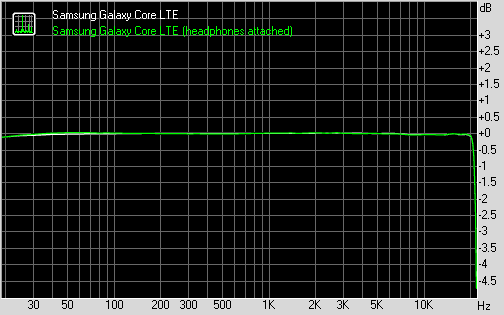
Samsung Galaxy Core LTE frequency response
You can learn more about the whole testing process here.


Tip us
2.1m 180k
RSS
EV
Merch
Log in I forgot my password Sign up