GrandisSIMo
Samsung Galaxy Grand I9082 review: GrandisSIMo
Organizer and apps
The Samsung Galaxy Grand comes with a nice selection of preinstalled apps. The glaring omission is an Office document editor - perhaps Samsung finally came to terms with the sheer amount of free office editors available on the Play Store.
The S Planner is a skinned calendar that is easily thumbable. The tabbed interface lets you easily toggle between year, month, week, day list and task views.
The S Planner app can sync with multiple calendars and you can switch off individual ones to reduce the clutter.
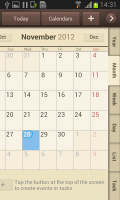
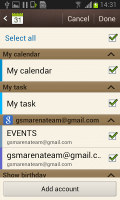
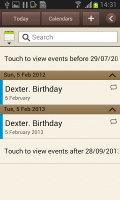
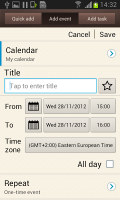
S Planner
Samsung has enabled its new S Cloud service on the Galaxy Grand. It can sync contacts, calendar and S memos and back up logs, messages (SMS and MMS) and the wallpaper. You can choose not to back up some of those things and you can set up automatic backups.
The clock app features are laid out across five tabs, each with a different function. The first tab lets you create multiple alarms (each with a distinct repeat time and ringtone), followed by a World clock, stopwatch, timer and desk clock tabs.

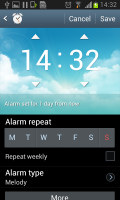
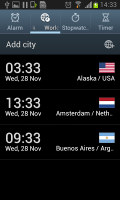
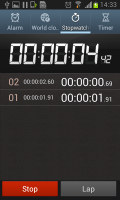
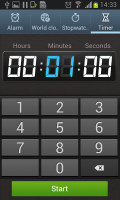
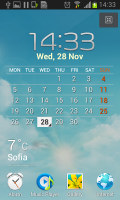
The Clock app handles many extras
The Calculator features big buttons, but you can enable one-handed operation to make things more manageable. The text size is adjustable and if you flip the phone horizontally you get some advanced math functions too.
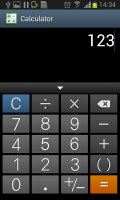
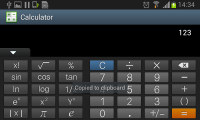
Calculator has adjustable font size and advanced math functions
The My Files app lets you browse all the files in the phone memory or on a microSD card. The app is launched automatically when you hook up a USB mass storage device (a USB drive, another phone, an SD card etc), which we find to be a nice touch.
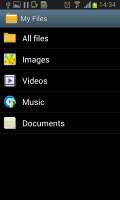
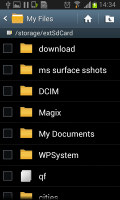
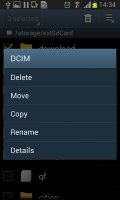
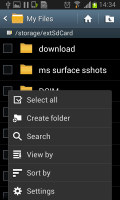
The My files app
Google Maps with offline caching
The Samsung Galaxy Grand comes with a GPS receiver, which took about a minute to get satellite lock upon a cold start (it supports GLONASS for faster, more accurate locks too). You can use the A-GPS functionality to get near instantaneous locks. Alternatively, network positioning will also do if you only need an estimate of your location.
Google Maps is a standard part of the Android package and we've covered it many times before. It offers voice-guided navigation in certain countries and falls back to a list of instructions elsewhere.
3D buildings are shown for some of the bigger cities and you can use two-finger camera tilt and rotate to get a better view of the area.
You can also plan routes, search for nearby POI and go into the always cool Street View. The app will reroute you if you get off course, even without a data connection.
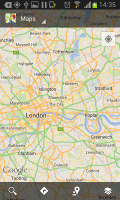
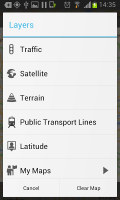
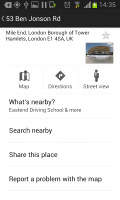
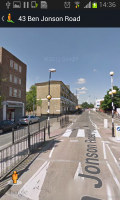
Google Maps • Street view
Google Maps uses vector maps, which are very data efficient. The latest version has an easy to use interface for caching maps - you just choose "Make available offline" from the menu and pan/zoom around until the desired area is in view (there's an indicator showing how much storage caching that area will take). You can later view cached areas and delete ones you no longer need.
Note that there's a limit to the size of the area you can cache - you can't just make all of Europe available offline, not even a whole country. We managed to cache London and some of the surroundings before Maps told us the area is too big. There's no address search either in the cached maps and you can only cache map data in supported regions of the world.
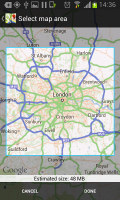
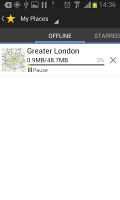
Making all of London available offline
Play Store
Running on Android Jelly Bean, the Samsung Galaxy Grand has access to the latest apps and the available microSD slot guarantees you won't have trouble with storage.
The Store is organized in a few scrollable tabs - categories, featured, top paid, top free, top grossing, top new paid, top new free and trending. The in-app section is untouched though and it's very informative - a description, latest changes, number of downloads and comments with rating. There is usually a demo video and several screenshots for most apps too.

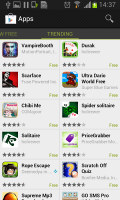

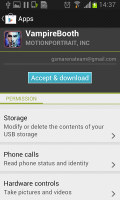
Google Play Store


Tip us
2.1m 180k
RSS
EV
Merch
Log in I forgot my password Sign up