Xiaomi Redmi Note 9 review
Android 10-based MIUI 11
If you are familiar with MIUI, you will find this iteration of the Xiaomi's software easy to use. There aren't any major design changes compared to the previous version of the software, but it does borrow some aesthetics from vanilla Android. The quick toggle icons in the notification shade are one example, as well as the inclusion of an app drawer. The latter is a big deal because you can now choose between the option of having all icons on the home screen or tuck them away in the app drawer and that's not available on all Xiaomi phones.
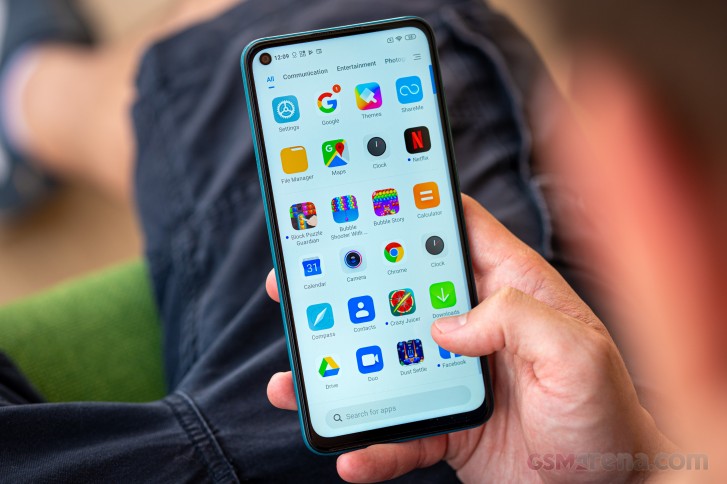
And the app drawer itself is quite well-designed too. You can sort your apps in different categories, the search bar is at the bottom of the screen for easier reach and also customize the background of the drawer. It can be white, black and set custom transparency.

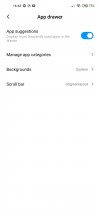
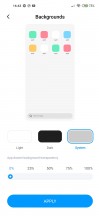
App drawer and options
The recent apps menu is vertical instead of horizontal with the apps moved closer to the lower part of the screen reserving some space for quick actions at the top of the menu such as deep cache clean, security scan, split screen and cleaner.

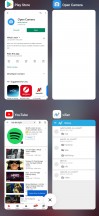
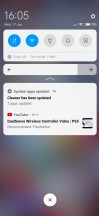
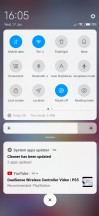
Home screen, notification shade and recent apps menu
Of course, dark mode is also available, and it can be applied to all system apps and third-party ones that support the functionality. Unfortunately, the nature of the LCD panel won't let you save a noticeable amount of power, but it will put less stress on your eyes when using the phone at night or in a dark environment. There are also dedicated reading and night mode to ease your reading experience even more.
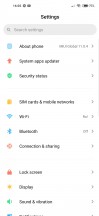
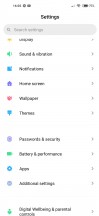
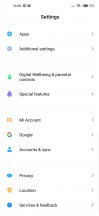
General settings menu
In case the punch-hole in the upper-left corner is too much to bear, you can hide it with a black bar without losing the extra space next to the camera or you can just cut out the whole area and move the status bar just below it. However, this would make the screen shorter while the top frame thicker losing some of that symmetry between the top and bottom bezels.
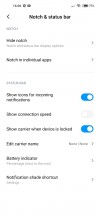
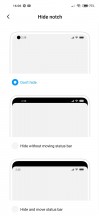
Punch-hole and status bar options
Another cool thing about MIUI 11 is that it takes Android 10's granular control over notifications even further by offering a few extra options like the way notification cards appear in the drop-down menu.
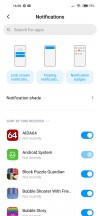
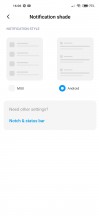
Notification settings
MIUI is quite generous with battery features as well. Aside from the usual battery saving features, there's also per-app background activity control. You can blacklist apps that don't behave or whitelist ones that you feel essential. A nuke option to clear the cache with each screen lock is available too.
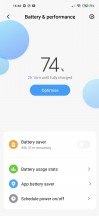
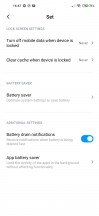
As far as biometrics go, the phone's rear-mounted fingerprint reader is almost flawless. If we ignore the fact that it's a bit too high up the back and it's hard to reach, the fingerprint scanner itself works great - it's fast, accurate, and reliable. Just a light touch is enough to unlock the phone in less than a second.
Sadly, not all is great with this particular installment of MIUI. The whole experience wasn't exactly "fluent," and we had a couple of choppy animations and delays here and there. It wasn't the prevalent behavior but we felt it's important to share. Either the software needs better optimization or the Helio G85 chipset struggles at times.
Performance
Speaking of the chipset, the MediaTek Helio G85 is a small hardware refresh over the Helio G80, as the name implies, and the benchmarks are here to prove it. It has essentially the same CPU and GPU setup - 2x Cortex-A75 cores running at 2.0 GHz and six Cortex-A55 cores clocked at 1.8 GHz paired with a Mali-G52 MC2 GPU. The only difference is that the latter is clocked at 950 MHz on the Helio G80, while the G85's GPU is clocked at 1000 MHz. Not a tangible difference, to be honest.
The Redmi Note 9 also comes with 3GB of RAM as a standard while the 9S starts at 4GB, so that might be a consideration for future-proofing. You can still grab the 4GB/128GB Redmi Note 9 variant, though.
GeekBench 5.1 (multi-core)
Higher is better
-
Xiaomi Redmi Note 9S
1785 -
Xiaomi Redmi Note 9 Pro
1785 -
Realme 6
1726 -
Motorola Moto G8 Power
1394 -
Motorola Moto G8 Plus
1385 -
Realme 6i
1349 -
Xiaomi Redmi Note 9
1292
GeekBench 5.1 (single-core)
Higher is better
-
Xiaomi Redmi Note 9 Pro
571 -
Xiaomi Redmi Note 9S
570 -
Realme 6
548 -
Realme 6i
388 -
Xiaomi Redmi Note 9
361 -
Motorola Moto G8 Power
311 -
Motorola Moto G8 Plus
310
AnTuTu 8
Higher is better
-
Realme 6
288931 -
Xiaomi Redmi Note 9 Pro
279625 -
Xiaomi Redmi Note 9S
254000 -
Realme 6i
202275 -
Xiaomi Redmi Note 9
200414 -
Motorola Moto G8 Power
173607 -
Motorola Moto G8 Plus
168699
And as expected, there's not much of a difference between the Helio G80 and G85 in benchmarks. And the latter falls behind the competition too. Single and multi-threaded tasks are handled better by the similarly-priced Snapdragon alternatives, and the same goes for the graphics performance.


Tip us
2.1m 180k
RSS
EV
Merch
Log in I forgot my password Sign up