Semi-precious
Acer Liquid Jade S review: Semi-precious
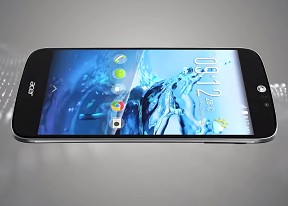
Standard retail package
The Acer Liquid Jade S arrives in a sleek retail package, mimicking the pattern on the back of the device itself. Removing the sleeve reveals the actual cardboard box, where the patterned theme continues.
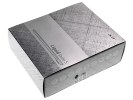
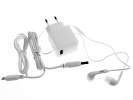
Stylish package • Charger, cable and headphones
Inside the box you'll find a pretty standard bundle. You get an AC adapter, which pumps out 1.35Amps at a rather odd 5.2V and a separate microUSB cable. There's also a nice pair of flat-cabled earbuds of the in-ear variety with a single-button remote. A couple of booklets complete the contents of the box.
Acer Liquid Jade S 360-degree spin
The Liquid Jade S measures 143 x 69 x 7.8 mm, which is about average for a 5-inch smartphone. The huge lens on the back sticks out a good 2mm, though, which means it's easier to scratch than most. Perhaps the slim side bezel might give it some protection but that's marginal. The smartphone weighs in at only 116g, so you can easily slip it in a pocket and forget it's there.
Design and build quality
The Acer Liquid Jade S is a very decently looking phone and more importantly one that doesn't lack personality. We have here the Black color option, and simply calling it black is a gross understatement. While the front could go by the ebony designation, the back is nothing like.
When light hits the rear cover, it reveals a fine cross-hatch pattern, the same one present on the box. It's a nice effect, even more pronounced in sunlight, but it is most definitely not black, more like an infinite number of purple shades. The back is not removable, so you can forget about replacing the battery or popping a different style cover, but this is slowly turning to be the norm, and we'll need to learn to live with it.
That aside, the Liquid Jade S is well built and doesn't flex, rattle or creak. Its thinness might however discourage you from excessive bending experiments, because an engineer can only do so much with as little materials.
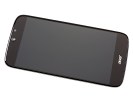
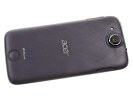
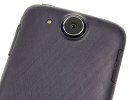
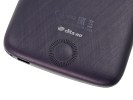
Acer Liquid Jade S design
Materials are well chosen and offer a good balance between price, appearance and feel. While it's no match for the flagships out there, the Liquid Jade S employs quality plastics, which are not prone to fingerprints - always a plus. The screen coating has also been chosen well, and doesn't instantly turn into a smudgy mess as we've witnessed in other units.
You have an Acer logo below the display and another one centered on the back to state your choice of brand while taking a call. That is, if the observer can take their eyes off the huge circular camera lens on top of the rear end. Another notable design feature is the plughole-style grille towards the bottom end of the back, which houses the DTS-HD certified speaker.
All in all, the Acer Liquid Jade S sports a unique design, which may not appeal to everyone, but is nonetheless a fresh example how a smartphone can stand out without needing overly expensive materials.
Controls
The Acer Liquid Jade S has its controls rather evenly distributed. The top right (when viewed from the front) is the home to the power button. It's a location which may have been acceptable on the 4-inch iPhones, with their dedicated home button in closer reach, but is very much out of place on a 5-inch smartphone where it's the only means to wake up the device.
Moving on, towards the left of the top you'll find the 3.5mm headphone jack, while in between resides the pinhole for the secondary mic. The bottom is home to the microUSB port on the right and the primary microphone is even closer to the corner.
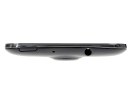
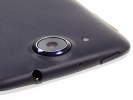
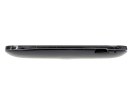
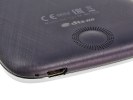
Power button, 3.5mm jack and secondary mic on top • microUSB port and primary mic on the bottom
The right side houses the volume rocker, which has a ridge on the "up" section for tactile feedback. The left side houses the SIM card tray, which requires nothing but a fingernail to pry out. That's not to say, that comes off too easily, but it may actually develop that habit with prolonged use. The tray accepts nano SIM cards only, and slot 2 is shared with the micsoSD, so you get either dual-SIM functionality or microSD expansion - not both at the same time.
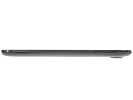
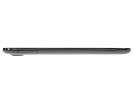
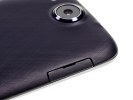
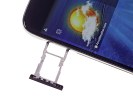
Volume rocker on the right • SIM card tray on the left
Round the back you get the camera lens bump we already mentioned, flanked by a single LED flash. At the far end is the round speaker grille. The earpiece on the front continues the plughole theme and is joined by the 5MP front camera and proximity/ambient light sensors.
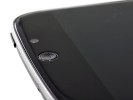
Back cover with lens bump and speaker grille • Front camera and sensor next to eapiece
Handling
The Acer Liquid Jade S is amazingly light and you can slip it in a pocket and forget about it altogether. The smartphones is also pretty thin and that coupled with its rounded edges means that it doesn't create unsightly bulges in your jeans.

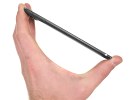
Acer Liquid Jade S in the hand
The power button placement requires either a two-hand operation or moving your hand from its natural position to somehow reach the top with your index finger. Hardly the most convenient solution.
The back surface, while not glossy, doesn't really have much texture and is pretty slippery. Combined with the stretching exercises needed for each lock/unlock action, the Liquid Jade S is at a great risk of being dropped more often than its owner would like.


Tip us
2.1m 180k
RSS
EV
Merch
Log in I forgot my password Sign up