Semi-precious
Acer Liquid Jade S review: Semi-precious
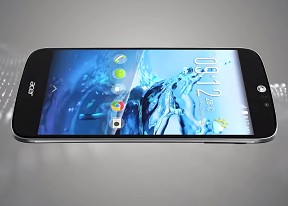
Adequate camera interface, poor image quality
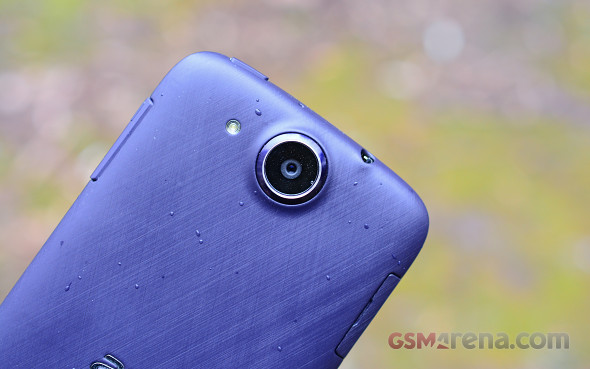
A 13MP sensor has made its way to the Acer Liquid Jade S. In promotional material the camera lens is quoted to sport a bright f1.8 aperture, which beats even the high-end Samsung Galaxy S6 with its f1.9. Interestingly enough, the EXIF data reveals that the aperture is in fact f2.8, much less impressive. Either way, the camera shoots stills in resolutions up to 4,160 x 3,120 pixels. Low-light shooting is aided by a single-LED flash. Meanwhile on the front you get a 5MP selfie shooter, which goes all the way up to 2,560 x 1,920 pixels.
Update: Acer spoke with us on the matter of the lens aperture and apparently it was an issue in software, which incorrectly reported it to be f2.8. Acer fixed it with an OTA update which was rolled out after the review was already complete. The actual aperture is, indeed, f1.8 as stated in the the company's promotional material.
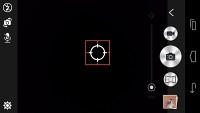
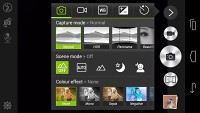
The camera app sports a combined interface for still and video shooting with a large virtual shutter button on the right. On top of it there's the video recording button while below you get one customizable button for the shooting mode of your choice. An arrow at the uppermost of the right pops open a menu with the rest of the shooting modes, including Panorama, HDR and Smile Shutter among others.
You also get scene modes such as landscape, night, and night portrait, to name a few, as well as color effects. The scene modes and color effects are shared between still and video shooting. A white balance setting lets you choose between four presets and auto, while on the next tab four three-step sliders provide adjustment for exposure, contrast, saturation and sharpness. A shortcut to the gallery returns the favor, while a zoom slider offers a feature you're better off not using.
The left side of the interface is less crowded with a settings button down the bottom. On top you get a dedicated flash button, which cycles through the various modes. Below it you can find a switch, that flips between the front and rear cam and a mute button, which turns off the mic when recording video.
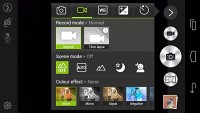
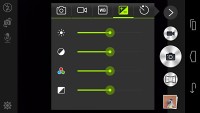
Functional camera interface
In reality, things are nowhere near what the specs suggest. The camera outputs very soft images, with little detail and plenty of noise in areas of uniform color. There's pronounced corner softness too - so close to the frame things get even more blurry.
Exposure is mostly accurate, but the camera is lacking in dynamic range with detail in the shadows quickly lost. In bright daylight the auto white balance produces noticeable warm images, which while not true to life, may be pleasing to the user.
The camera's flaws would have been easier to live with if they were only visible when pixel peeping. The truth is, even when scaled to fit the screen, you can easily tell you're dealing with a compromise solution. Don't take our word for it though, have a look at the unprocessed samples below to form your own opinion.
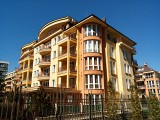





Acer Liquid Jade S camera samples
The Acer has an HDR mode which brings out quite a bit of detail in the shadows and dials up on the sharpening a great deal. The resulting images have a strong unreal character though. Also, hand-holding the phone while taking an HDR shot poses a great risk of misalignment between the two captured images.




HDR off • HDR on
The camera was able to lock focus from a really close distance, resulting in some decent macro shots. We also took a few photos with the front camera. Those turned out very soft and with noticeable light falloff towards the corners. The front camera proves to be more of an afterthought that will look good on the specsheet, but is in fact barely usable.


Macro • Front camera sample
The Acer Liquid Jade S has a dedicated panorama mode, too. Unfortunately, that is also but a tick on the box, as the images come out in very low resolution and detail is nowhere to be found. When shot in portrait, the panorama is only around 700px high and the entire image is less than 400KB for a 150-degree shot. It's stitching is far from perfect either so it's of little consolation that the exposure is even across the frame.
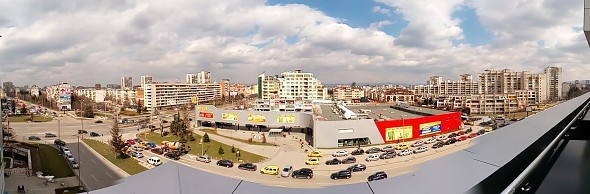
Acer Liquid Jade S panorama sample shot in portrait
A quick look at the Liquid Jade S in our photo comparison tool will give you an idea how it stacks up against the competition.
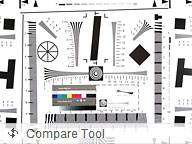
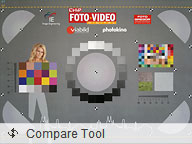

Acer Liquid Jade S in our photo compare tool
Mediocre video output
The video recorder on the Acer Liquid Jade S tops out at the pretty standard 1080p@30p. Annoyingly, the shared viewfinder doesn't prepare you for what to expect when you hit the record button, but with practice, you'll likely learn to compensate.
In terms of settings, you get the same scene modes and color effects found in the still camera. Additionally, an extra Time lapse mode is available, where you can set the camera to take a single FullHD shot every 1s, 2s, 5s, or 10s, and save them in a .3gp format.
The videos are also recorded in.3gp format, using MPEG-4 compression at a rate of about 17Mbps, while audio is encoded in 128Kbps.
What we said about the still image output very much holds true for the Liquid Jade S' camcorder. The level of detail is by no stretch of the imagination worthy of its 1080p designation. Colors are good, and there's no focus hunting, or abrupt changes in exposure, but the detail simply isn't there.
An untouched 1080p@30fps video sample (00:17s, 35MB) is available for download from our server, straight out of the camera.
To continue your investigation of the smartphone's video quality, you can check out our video compare tool, where we've pitted it against some of the competition.
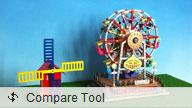

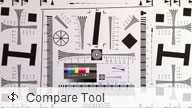
Acer Liquid Jade S in our video compare tool


Tip us
2.1m 180k
RSS
EV
Merch
Log in I forgot my password Sign up