For old times' sake
BlackBerry Classic review: For old times' sake
Web browser
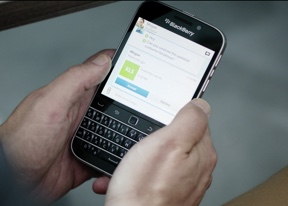
BlackBerry Classic has a WebKit-based browser that is easy to operate thanks to the square screen and hardware buttons.
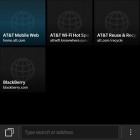
The interface is straightforward. The first thing you see is the New tab interface, which shows thumbnails of recently visited sites. You can remove any visited sites from this interface or from your history, of course. There is also an incognito mode, named Private browsing.
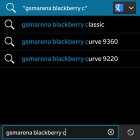
Entering URLs is quick thanks to the autocomplete feature, which managed to guess correctly what we're trying to type most of the time.

The web browser
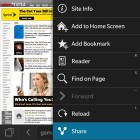
Despite the poor browsing benchmarks results, the browser is fast and elaborate - web sites are rendered without a hitch. Pinch zooming is smooth and there's double-tap to zoom too, but no text reflow. From the Menu button you get access to several more options, including Find on page and Share.
A cool option has the browser remember which tabs were open, so the tabs will still be there even if you close the browser and open it again later (similar to recent desktop browsers).
Another interesting option is Reader - it strips out the site's interface and leaves only the content, making it much easier to read on a phone's screen. It doesn't work very well with multi-page articles though.
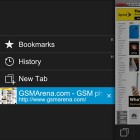
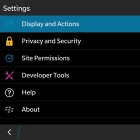
Browser options
Overall, the web browsing experience on the BlackBerry Classic is limited only by the size and the resolution of the display. The device is clearly not made for users to waste time in long internet surfing sessions.
Other pre-installed apps
The BlackBerry Classic comes with a full-blown Office document editor. It's called DocsToGo and can both view and create Word and Excel documents.
PowerPoint presentations can be edited too, but only for small tweaks - you can't create new presentations from scratch or even add new slides. The Present option is pretty sweet though - it displays the slide through HDMI to the TV/projector, while showing you the notes for the slide on the phone's screen.
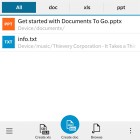
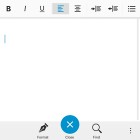
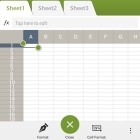
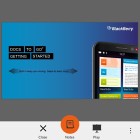
Docs To Go
The Word editor has all the text formatting features you'll need - everything from the standard bold, italic, underline through text justification, text and background color, font and text size, super and sub scripts, to list and paragraph styling.
The Excel editor works with multiple sheets, cell formatting and formulas, though we would have appreciated a formula wizard of some sort. We're no Excel experts so typing out the formulas by hand from memory was a challenge.
The File Manager is here for more advanced file handling. It shows the internal and external storage as either a grid or list of files and folders. You can sort them by name, date, type and size in either ascending or descending order and if you still can't find what you need, there's the search feature.
Files and folders can be moved, copied and deleted in bulk, renamed or even zipped up into a single file and then unzipped.
The app is cloud-enabled too - you can add Box and Dropbox accounts. They are treated almost the same way as a microSD card, so copying files between phone and cloud storage is seamless. There's no search option here (but you can still sort folders).
The Calendar has an updated interface with daily, monthly, and weekly views. There's also an agenda view for viewing all your appointments in one place.
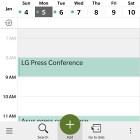
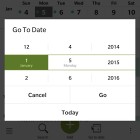
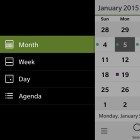
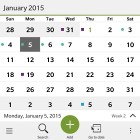
The calendar app
Multiple calendars are supported and they are color coded, so you can easily tell where which event comes from (e.g. your personal Gmail account or the work calendar).
The Clock app features the same clock as the Bedside mode on the lockscreen. You can switch to a digital watch face if you prefer. You also get alarm functionality, a world clock, stopwatch, and a timer.
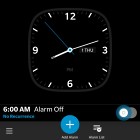
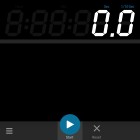
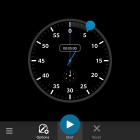
A look at the clock
There's also a standard Calculator app with expandable advanced functions, as well as a very nifty tip calculating tool and a converter for all sorts of measurements. There's also an animated Compass that can tell you your exact coordinates via GPS.
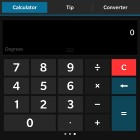
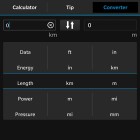
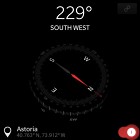
The calculator and the compass
The Weather app pulls info from AccuWeather and shows the forecast for today and the next four days. You can add multiple locations and see an hourly forecast too. The app switches between a bright blue and black background depending on whether it's day or night in the selected city.
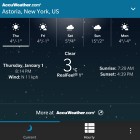
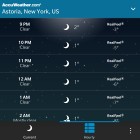
Functional weather app
BlackBerry 10 comes with its own Maps application which only features regular mapping - no satellite images or street view. It can show traffic information, but there's no public transport or pedestrian navigation support. The POI database isn't nearly as rich as that of Google Maps, but at least maps now load quicker than they did on previous BB 10 phones.
You can add favorite places (Home and Work get special treatment) to find your way faster. If a contact from your address book has location info, you can quickly navigate to them too.


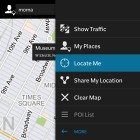
BlackBerry Maps
The Maps application has voice-guided navigation for in-car use. It's online-only (that is you need an Internet connection for it to work). You can tweak the route finding algorithm by telling it to look for the Fastest, Simplest or Shortest routes and to avoid highways, toll roads, carpool lanes or ferries. Night mode can be enabled, disabled or set to activate automatically.
BlackBerry World is the place to get new apps for your BlackBerry Classic. While not as many apps as Android and iOS have (or even Windows Phone), many of the major names are available.
The BB World is not too different from the Google Play Store. It shows featured apps on top of the screen, then vertical categories including utilities, trending apps, top grossing apps, and more. Before an app installs, you'll be prompted to allow the app's required permissions. It's a bit annoying that you only get to see those after the app has been downloaded (but before it's installed).

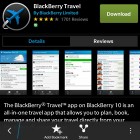
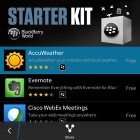
BlackBerry world
We already mentioned that in the beginning of the year the BlackBerry World opened business with a respectable number of apps for a new app store, but a good 40% of those apps are Android ports (BlackBerry handed $100 to developers who ported their Android app to World).
Luckily, as of BlackBerry OS 10.2, there's runtime support for Android 4.2.2 apps. This enables hardware acceleration, which in theory at least, boosts performance of ported Android apps.
Not all apps work as advertised, however. We've tried side-loading a few Android apps and we also downloaded a few from the Amazon Appstore, which was preinstalled on the device. Not all of the apps started and the ones we sideloaded didn't match the device's square screen. The ones we downloaded from the Amazon Appstore were all fine visually, but we have a feeling the Classic didn't access the full catalogue of apps, which is available on Android smartphones.
Anyway, just like Google Play, BlackBerry World offers more than just apps - you can buy music, movies and TV shows from here.
Amazon Appstore is where you can access compatible Android apps for the device. There is a paid app available for free every day.

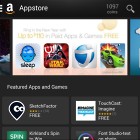

Amazon Appstore


Tip us
2.1m 180k
RSS
EV
Merch
Log in I forgot my password Sign up