A penny saved
Nokia Asha 311 review: A penny saved

Good video codec support
There is no dedicated video player within this version of Series 40. You can find you videos in the dedicated video tab of either the gallery or the music player. Or browse them in the file manager.
The Asha 311 was capable of playing most of the files we threw at it, including AVI, MP4 and 3GP, and had no problem with DivX/Xvid videos. Of course, videos above 720p were a no-go, but the Asha 311 supports all kind of audio codecs and it played the sound of even incompatible video files (including the 1080p videos in our collection).
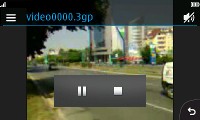

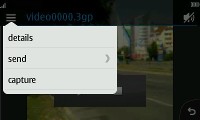
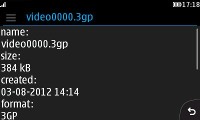
The video interface is as basic as it gets
3MP fixed-focus camera
The Nokia Asha 311 has a 3MP fixed-focus camera that produces photos at maximum resolution of 2048 x 1536. The camera interface has been updated but still offers just a few settings.
The camera's main UI has four shortcuts in each corner of the viewfinder and surprise - they're orientation aware. This is a bit of joke really - one of them being a Back button, which has to always fall in the bottom right corner of the screen, they realign rather messily. Not to mention, the auto-rotation isn't the fastest around. Still, this is a surprisingly advanced feature to have in such a basic camera.

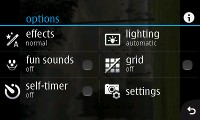
The camera UI
Anyway, you have settings, camcorder/still camera toggle and a shortcut to the gallery. The virtual shutter is always centered at the bottom, whether in portrait or landscape.
In the Settings you can set effects, self-timer, grid and scenes. There is a deeper Advanced settings menu with resolution options, camera sounds, orientation, etc.
The image quality is nothing spectacular, and there is a fair amount of noise when viewed at native resolution. The camera has adequate color reproduction, but had some problems with nailing down the proper exposure in outdoor shots.




Nokia Asha 311 camera samples
VGA video recording
Video recording isn't exactly the Asha 311's forte. It does VGA at 25 fps - which is about what you can expect from a phone in this class.

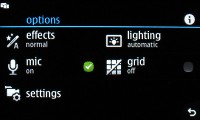
The camcorder UI
The 25 fps result in a little bit of choppiness when looking at fast-moving objects, and the same exposure problems from the camera are also present in the 3GP videos it records.
Here's the VGA at 25fps sample for you to check out.
Connectivity: pentaband fast data
The Nokia Asha 311 is a quad band device (850 / 900 / 1800 / 1900) and offers GPRS and EDGE support as well. There's also pentaband 3G (HSDPA 14.4, HSUPA 5.76), Wi-Fi b/g/n, and Bluetooth 2.1 with A2DP support.
It uses a microUSB port for both data connections and charging, but we had some serious problems getting it to charge with anything other than the A/C adapter via its dedicated charging port.
The Asha 311 also has a memory card slot (and a complimentary 2GB microSD card). Coupled with a card reader it can usually give you the fastest data transfer rates.
And finally, there's the standard 3.5mm audio jack.
The new web browser is good
The Nokia Asha 311 boasts a really cool new browser. Its start screen has a unified URL and search bar and a few handy shortcuts to favorite websites and services.
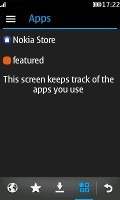
The tabbed interface offers one-tap access to Favorites, Downloads and Apps. The Favorites tab has the History, Home and Start page shortcuts, and you can add your own bookmarks here.


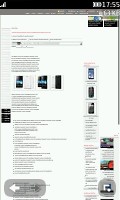
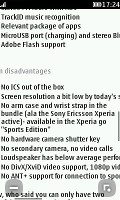
Browsing the mobile and desktop versions of GSMArena.com
The browser does the Opera Mini trick - compressing web pages on a dedicated server before sending them to the phone. Pages load quickly (even on EDGE) and don't use much data. Image quality is adjustable (Best/Good/Average or No images).
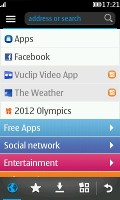


The web browser UI
You get only two zoom levels (again, just like Opera Mini): page overview and zoomed in. A single tap will zoom in on the desired part of the page. To zoom back out to overview you need to hit a dedicated button in the bottom left corner.
Overall, the performance is not bad at all, and the fast network data lets you make the best of it. The browser doesn't support Flash.


Tip us
2.1m 180k
RSS
EV
Merch
Log in I forgot my password Sign up