First impressions
Samsung Galaxy Note7 hands-on: First impressions
The S Pen is tougher, more focused
The S Pen is the defining feature of a Note, but it caused some headaches last time around. We asked and no, the Galaxy Note7 will not break if you stick the S Pen in backwards.
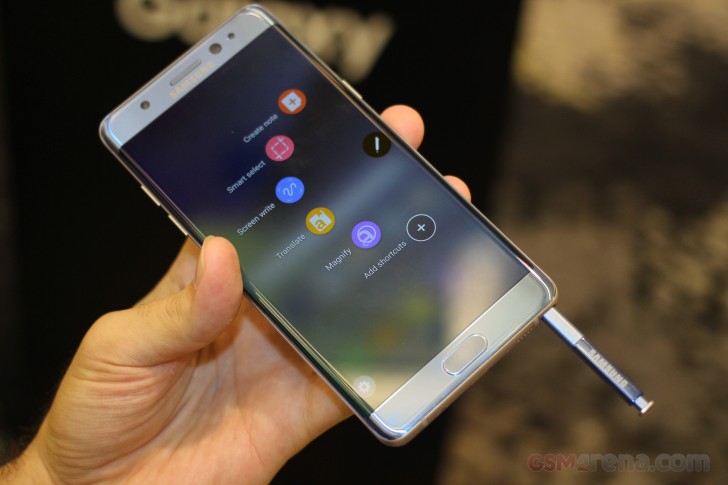
With that out of the way, the trademark stylus is about the same size as its predecessor. The tip of the S-Pen itself has been made even finer for higher precision writing and the button has been moved up slightly to prevent accidental clicks.
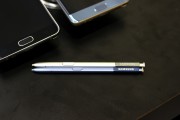
S Pens old and new (the new one is in Blue)
Speaking of clicks, the top clicks just like a normal pen. Besides being pretty cool, the clicking serves an actual purpose - it extends the top, allowing you to pull out the S Pen.
As with the Note5, taking out the S Pen without unlocking the phone launches the note-taking tool. You can take longer notes with the Galaxy Note7 as the app automatically scrolls up.
And you can pin a note onto the Always on screen so it stays on after putting the S-pen away, great for shopping lists or other remainders. You can now erase things on the screen-off memo by simply holding the button down while scratching unwanted marks. The new stylus and digitizer can distinguish up to 4096 levels of pressure, double the sensitivity level of its predecessor.
As mentioned in the previous chapter, the new S Pen works underwater (Samsung had a cool demo). Even if you never want to take notes while diving, at least you can always control the phone underwater as you can't use the touchscreen very well when it's wet.
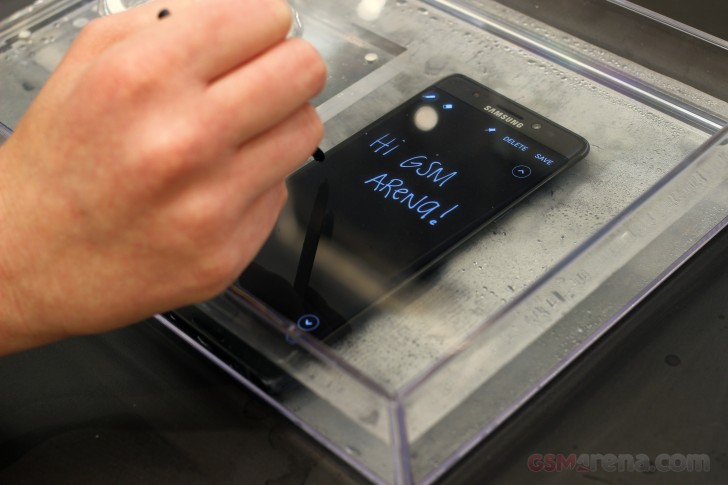 Writing underwater!
The new S Pen has improved software features too. Its app suite (S Note, S Memo and others) has been unified in a single app - Samsung Notes.
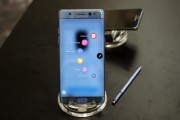
The Air Command menu gives quick access to S Pen features
The stylus will help your reading comprehension. You can translate text just by pointing at it (from 38 source languages to 72 target languages). It can also magnify small type so you can reach for your S Pen instead of your glasses.
An interesting (and perhaps niche) feature lets you turn videos into animated GIFs with Smart Select. You select a portion of the video (you don't have to use the whole frame) and hit Play.
Security features
Samsung added an iris scanner to the list of biometric sensors, but the fingerprint reader is still on board and you can use whichever you prefer (or neither, if you prefer to live dangerously). Both use a passcode as a fallback.
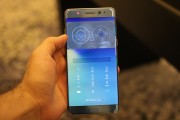
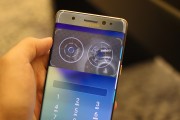
Using the iris scanner
This should happen less often with the iris scanner, though. Fingerprint readers can fail if your fingers are wet or you put them at an odd angle. Samsung mentions that you would have to hold the phone up to eye level for best results with the iris scanner.
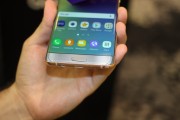
The fingerprint reader is still on board
Samsung Pay will support the iris scanner soon (Samsung didn't commit to a launch date, however). The scanner will also be added to Samsung Pass - the feature that allows third-party apps and services to tap into the phone's advanced authentication features.
There's a Secure folder, where you can lock up sensitive files (or photos) and even apps. Knox Workspace will keep your work apps secure and separate from your personal apps and info and vice versa.
New to the Note7 as well, you can add any photo to your secure content directly from the gallery! The image will become encrypted and stored in the private partition, away from your personal files and folders.


Tip us
2.1m 180k
RSS
EV
Merch
Log in I forgot my password Sign up