The second cousin
ZUK Z1 by Lenovo review: The second cousin
Phonebook and telephony
The ZUK Z1 packs two nanoSIMs, both of which can handle 4G LTE networks. Reception and audio quality in calls is solid, while a mic on the back of the phone enables noise cancellation.
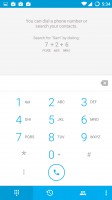
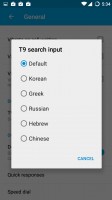
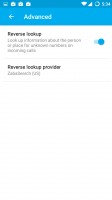
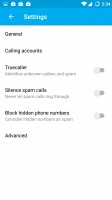
The dialer app has reverse lookup, spam call blocking and multi-language T9 smart search
For incoming calls, the Reverse lookup option will automatically find info for numbers not in your phonebook. There's also the Truecaller add-on, which also identifies incoming numbers and can block them if they have been classified as spam.
The main screen of the phone app shows a T9-enabled keypad for smart search. You can pick the flavor of the T9 input - great if your phonebook is in Korean, Greek, Russian, Hebrew or Chinese.
The second tab is the call log and the third one shows all your contacts, with ones marked as favorite listed on top with big thumbnails. There's a dedicated Contacts app as well, but it doesn't add much other than a Groups tab.
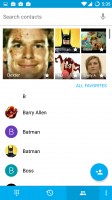
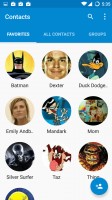
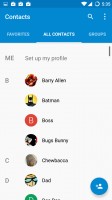
Contacts can be viewed from the dialer or the dedicated contacts app
The ZUK Z1 scored a Good mark on our loudspeaker test, putting it in the middle of the affordable 5.5" segment.
| Speakerphone test | Voice, dB | Ringing | Overall score | |
| 65.8 | 65.1 | 64.6 | Below Average | |
| 65.2 | 62.1 | 75.7 | Average | |
| 66.1 | 66.0 | 76.0 | Good | |
| 65.7 | 66.6 | 76.5 | Good | |
| 68.7 | 66.6 | 75.7 | Good | |
| 69.8 | 66.6 | 82.7 | Very Good | |
| 75.7 | 73.5 | 79.5 | Excellent | |
| 75.7 | 73.5 | 80.7 | Excellent |
Messaging and text input
The ZUK Z1 comes with a stock-looking SMS and MMS app, but before you switch to Hangouts or another app check out the settings.
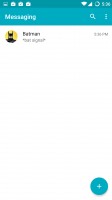
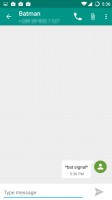
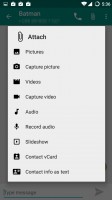
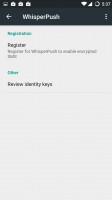
The Messaging app looks pretty standard, but hides encryption suport
Under Privacy you'll find settings for WhisperPush, a TextSecure-based system that lets you send out encrypted messages to other WhisperPush users. You'll need to complete a quick registration process before you can enable it.
Also note that encrypted messages are sent over data, support for encrypted SMS messages was dropped a while back. The system will work with any app that handles SMS, however keep in mind that it doesn't encrypt messages sent through other means (e.g. Hangout messages).
Gmail is available, of course, but you can try the custom app. It's a partnership between Cyanogen and Boxer and prides itself in customizable swipe actions an easy bulk actions (swiping multiple emails at once). You can set emails as To-Do items with due dates and integrate with Evernote, Dropbox, Google Drive and Box for cloud attachment.
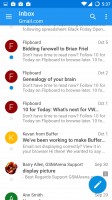
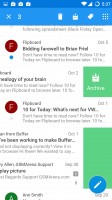
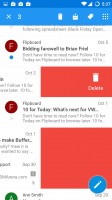
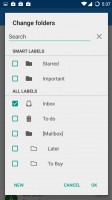
The Boxer-made Email app supports batch actions with swipes
The Boxer email app supports multiple accounts with combined inbox and boasts full Gmail label support, plus its own Smart folders, which figures out how you like to file your emails in different folders.
Anyway, for texting you get the Android Keyboard, which is quite capable. It supports themes and layouts (want QWERTZ? Dvorak? Sure!) and gesture typing (think Swype). Text correction options are available and include features like blocking offensive words and suggesting contact names.
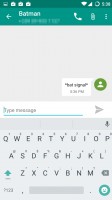
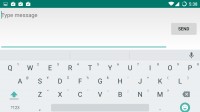
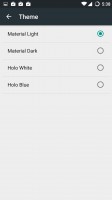
The AOSP keyboard is very flexible and has most features you may need
Voice dictation is also supported (both online and offline), but there's no mini or floating keyboard options, which are often found on phones with screens this size.


Tip us
2.1m 180k
RSS
EV
Merch
Log in I forgot my password Sign up