The second cousin
ZUK Z1 by Lenovo review: The second cousin
Gallery
The Gallery app is a Cyanogen effort (GalleryNext). The default view is called Moments, basically grouping photos time and location info to group photos together. Casting is supported out of the box too (note that it's not the same as mirroring the screen).
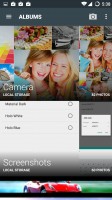
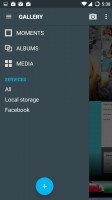


The gallery has native support for social networking galleries
Multiple online galleries are supported - Facebook, Google+, Flickr and Dropbox. You'll need to add an account for the service first (only one per service), after you can browse photos by service (e.g. only Facebook photos) or view all photos.
Other than that the app is pretty close to the stock Android gallery, it even uses similar editing tools.
Music player
Cyanogen also has a custom music player, however, the ZUK Z1 relies only on Google Play Music. The app itself is quite capable, balancing between offline music playback and streaming from Play Music. Caching can preload the music when the phone is hooked up to a charger and a Wi-Fi network to minimize its impact. When on a mobile network, you can choose quality (and thus data size) for non-cached tracks.
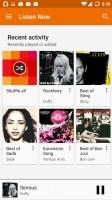


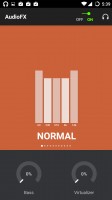
Google Play Music is the only player out of the box
Google even recently added equalizer support, which has long been a complaint about the app. On the Z1 it's Cyanogen's AudioFX, which comes with several presets and a manual 5-band equalizer. You get different settings for playing through a headset, the speaker and Bluetooth speakers. There are Bass and Virtualizer sliders (those are available for headsets only).
Video player
There's no dedicated video player, you can use the gallery or the file browser to pick a video instead. It's very spartan, giving you only a play/pause button. If you're serious about watching videos on the ZUK Z1 you'd better install a proper video player.

You really need a third-party video player
The hardware itself is pretty capable and didn't snag on any video/audio combo, including 4K HEVC video and multichannel audio (AC3, DTS). So just pick an app with subtitle support and a UI you like and you're all set.
Audio output is somewhat quiet, nicely clean
The ZUK Z1 didn't impress us with loudness when connected to an active external amplifier, but its clarity readings were quite good. The stereo crosstalk was slightly above average, but the other readings were excellent, adding up to very good overall quality.
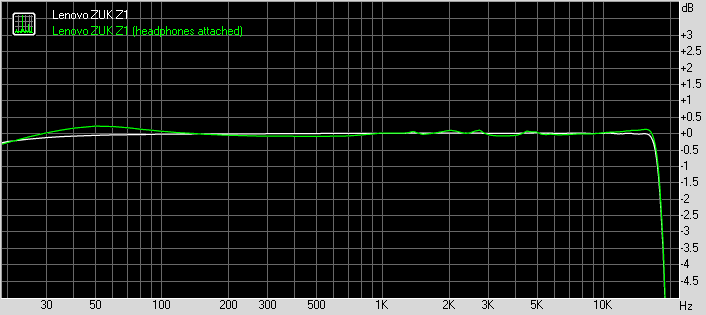
Plugging in a pair of headphones causes some frequency response fluctuation and adds a tiny bit of distortion, but the output is still nicely clear by any standard. Impressively, the stereo crosstalk changes very little and is among the better in this scenario, but the volume levels drop a bit further. All in all a decent showing by the ZUK flagship.
Anyway, here go the results so you can do your comparisons.
| Test | Frequency response | Noise level | Dynamic range | THD | IMD + Noise | Stereo crosstalk |
| Lenovo ZUK Z1 | +0.02, -0.08 | -94.0 | 90.8 | 0.0038 | 0.0012 | -76.9 |
| Lenovo ZUK Z1 (headphones) | +0.33, -0.10 | -87.2 | 91.1 | 0.045 | 0.189 | -66.0 |
| OnePlus 2 | +0.01, -0.03 | -94.2 | 92.8 | 0.0023 | 0.0086 | -94.3 |
| OnePlus 2 (headphones) | +0.65, -0.21 | -93.8 | 92.6 | 0.014 | 0.470 | -50.9 |
| Xiaomi Redmi Note 2 | +0.02, -0.10 | -96.1 | 92.4 | 0.0084 | 0.012 | -94.8 |
| Xiaomi Redmi Note 2 (headphones attached) | +0.50, -0.09 | -94.9 | 91.9 | 0.073 | 0.313 | -54.0 |
OnePlus 2 frequency response
You can learn more about the tested parameters and the whole testing process here.


Tip us
2.1m 180k
RSS
EV
Merch
Log in I forgot my password Sign up