The triathlete
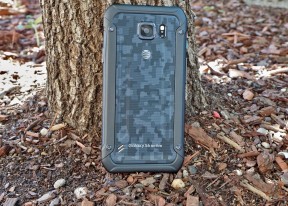
Samsung Galaxy S6 Active review: The triathlete
Samsung web browser and Chrome
The Internet app is the Android browser modified by Samsung. It supports multiple tabs (including incognito ones) and if you sign into your Samsung account, it will sync open tabs and bookmarks with other devices on that account.
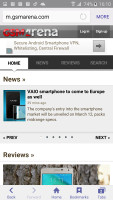
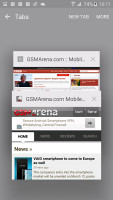
The Internet app
Chrome comes on all Androids as part of the Play Services package. It can sync tabs too (based on your Google account) and has the data-saving option of compressing pages before they are sent to the device. It will even automatically detect foreign language sites and offer to translate them.
Both the Internet app and Chrome support Multi Window.
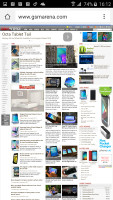
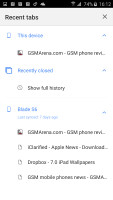
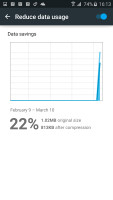
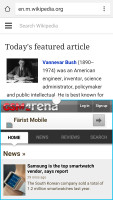
Chrome • syncing tabs with other devices • reducing data usage • Multi Window
Other preinstalled apps
Samsung has partnered with Microsoft and offers three preinstalled apps (that you can't uninstall either). There's OneDrive to handle cloud-syncing needs (including photo backup). You get a free 100GB with your phone. There's also OneNote for a more advanced note taking and syncing experience than the Memo app offers and finally Skype.
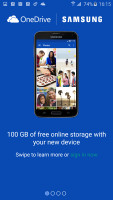
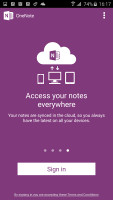
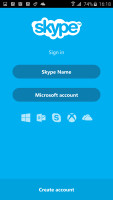
OneDrive, OneNote and Skype come preinstalled
Smart Manager shows even more collaboration and is a one-stop shop for maintenance of your device. It's divided into four parts. Battery shows estimated battery life remaining/time until charged and will warn you of abnormal battery usage. The Power saving and Ultra power saving modes can be activated from here.
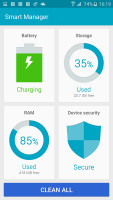
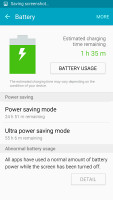
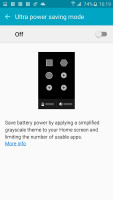
Smart Manager • Battery use • Ultra power saving mode
The Storage section leans on Clean Master to free up some storage by deleting unnecessary files. RAM closes running apps to free up RAM. Other than misbehaving apps, we can't think of a reason to manually close apps on a 3GB device.
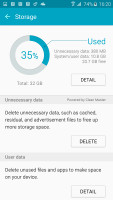
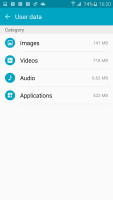
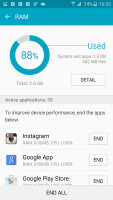
Cleaning up the storage • freeing up RAM
The fourth section is Device security. It offers My KNOX, which create separate working spaces for personal and work apps (think BlackBerry's Balance). KNOX Active Protection promises to safeguard you against hacks - it's disabled by default for casual users and enabled for enterprise users.
It slows down performance a bit and adds 1 second to the boot time. What you get is verification that the system apps haven't been tampered with and real-time kernel protection to avoid unauthorized access from apps to the core of the operating system. There's also a McAfee-powered malware scanner on board.
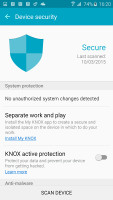
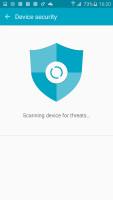
KNOX can balance work and personal apps, protect you from malware and hacks
S Health has been polished. It can sync your health data with your Samsung Account (optionally via Wi-Fi only). The new UI uses simple cards that count your steps, offer to measure your heart rate, track what you eat and drink, your sleep and various exercises.
The phone has the hardware to do spot measurements of your heart rate and blood oxygen saturation and estimate stress. You can add external sensors for continuous tracking. The app comes with three built-in programs that will train you, building up to a 10K run. It's not all about exercise, S Health can help you eat healthier or make sure you get proper rest.
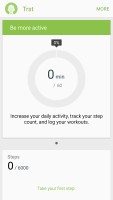
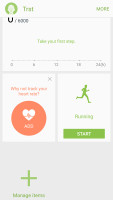
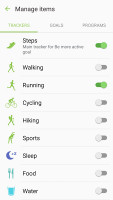
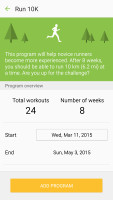
S Health tracks your health, exercise and rest
The Voice recorder app has Interview mode, which uses the mic array to suppress sounds from the sides. You can also mute one side of the conversation so only the answers of your interviewee are audible. The other mode is Voice memo, which automatically transcribes the note into text.
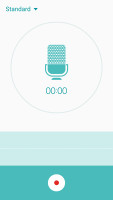
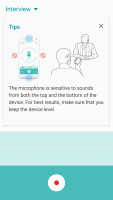
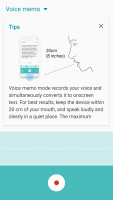
Voice memo can record interviews and take down notes
The Peel Smart Remote app uses the IR blaster on the top of the Samsung Galaxy S6 Active to control your TV and media setup. It also doubles as a TV Guide so you can see what's on, flip directly to that channel or set a reminder if it airs later. The app can handle TVs, disc players, AV receivers, streaming boxes (Apple TV and Roku) as well as air conditioners.
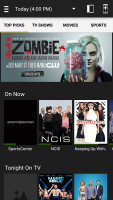
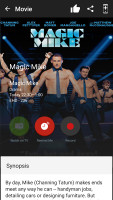
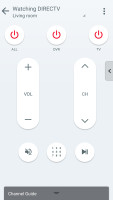
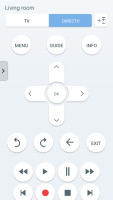
Remote control and TV guide in one
S Planner is the familiar Samsung replacement for the Google calendar. It defaults to a Month and agenda view, and has a clean Material Design interface. You can add a 7-day weather forecast and multiple calendars.
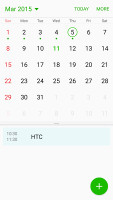
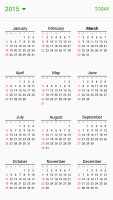
S Planner
The My Files app is the built-in file browser. It's beginner friendly with its Category view (e.g. view all photos), but you can browse the whole internal storage). The app also integrates Google Drive so you can seamlessly handle files in the Google cloud.
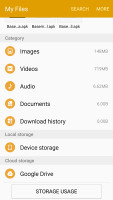
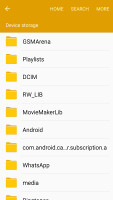
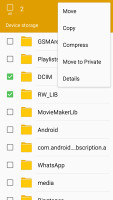
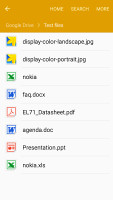
My Files handles local and cloud (Google Drive) files
S Voice is still on board, even though it had to relinquish its traditional shortcut. It can handle a wide variety of voice commands - call or text someone, take down memos and calendar notes, check the weather or read the news, answer spoken questions and so on.
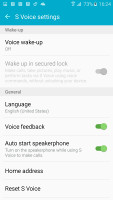
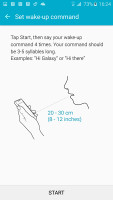
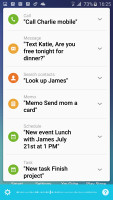
S Voice is still on board
The app has no UI, it just needs an initial training (you say an activation phrase four times). Then from anywhere in the UI you speak the phrase and your command, all you'll see is a small graphical equalizer at the bottom of the screen as you speak. Google Now can do plenty of these things (even if it's not as conversational).


Tip us
2.1m 180k
RSS
EV
Merch
Log in I forgot my password Sign up