Expanding universe
Lenovo Vibe Z2 Pro review: Expanding universe
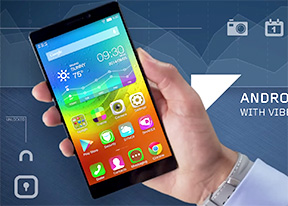
Standard phonebook
The Lenovo Vibe Z2 Pro comes with a very streamlined phonebook . It is laid out across four tabs: dialer, contacts, messaging and favorites. You can view either single contacts or groups as well as blacklist entries. Tapping on a contact brings up a popup with access to a contact's scrollable info.


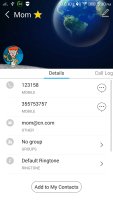

The phonebook
As on most Android launchers, you can assign a plethora of contact information including custom ringtones and images. You can link contacts too, if you've added the same person on multiple services.
You can also search for contacts or filter them by their first letter.
Great telephony
We didn't experience any issues with the quality of the calls we placed with the Vibe Z2 Pro. The voices sounded crisp and clear on both ends. The proximity sensor makes sure the screen stays off when you hold the phone to your face.
Flipping the phone on its face while it's ringing would mute the call ringing. As we already mentioned in the user interface portion of the review, you can also place a 3D gesture to pick up a call, but it didn't work at all during our testing.
The secondary noise cancelling microphone ensures a quieter background for your voice while in call.
The dialer and the call log share the same screen. The dialer offers smart dialing and it works both with names and numbers.
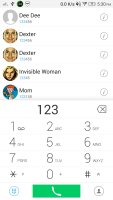
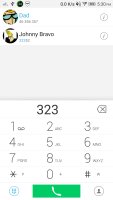
The Smart Dial works like a charm
We put the Lenovo Vibe Z2 Pro through our traditional loudspeaker test and it scored an Average mark which means you'll have to keep the phone near you if you don't want to miss any calls. Here's how it stacks up to the competition.
| Speakerphone test | Voice, dB | Ringing | Overall score | |
| 67.3 | 65.7 | 66.5 | Below Average | |
| 66.7 | 66.6 | 72.7 | Average | |
| 66.7 | 65.7 | 75.7 | Good | |
| 73.7 | 67.7 | 74.7 | Good | |
| 70.2 | 66.6 | 80.2 | Good | |
| 74.7 | 73.5 | 81.6 | Excellent |
Messaging
The messaging section is business as usual with all SMS/MMS communication is organized into threads. Attaching a photo, video, audio recording or the like automatically turns your message into an MMS.
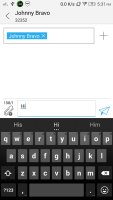
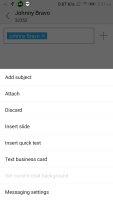
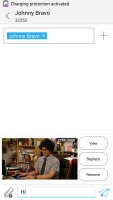
The messaging app supports MMS
The Lenovo Vibe Z2 Pro also comes with Hangouts, which is another way to handle texts. The latest update lets Hangouts integrate your SMS and MMS messages in addition to Gtalk and Google+ conversations.
For email, the Gmail app includes the four inbox options (Primary, Social, Promotions, Updates) that Google recently introduced in their online interface. The default Email app is similar to Gmail, except that it can handle multiple POP or IMAP inboxes, which is useful for when you want to keep track of multiple accounts from one place.

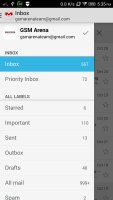


Full-blown email experience
The Lenovo Vibe Z2 Pro employs the stock Android keyboard, which many users like. It stretches nicely on the 6" display and allows for a really quick typing. You can enhance it even further by turning on the Gesture typing. A cool little feature is that you can use the volume rocker to move the cursor left or right when you're in a text box.


Tip us
2.1m 180k
RSS
EV
Merch
Log in I forgot my password Sign up