GSMArena.com GSMArena.com

Tip us

2.1m
180k
RSS

EV

Merch

Log in

Login

I forgot my password
Sign up
  • Home
  • News
  • Reviews
  • Videos
  • Featured
  • Phone Finder
  • Deals
  • Merch
  • Coverage
  • Contact
ADVERTISEMENT
GSMArena team, 26 September 2012

Moving forward


Apple iOS 6 review: Moving forward

  • Comments (136)
  • iPhone 5
  • iPhone 4s

2. User interface
  1. 1. Introduction
  2. 2. User interface
  3. 3. Notifications, phonebook, telephony
  4. 4. Messaging, mail, text input
  5. 5. Photos with Shared Photo Stream, music and video players
  6. 6. Camera, Safari and benchmarks
  7. 7. Siri, Facebook integration, Maps
  8. 8. New App and iTunes stores, iCloud, Passbook, activation, OTA updates
  9. 9. Organizer and apps, accessibility, lost mode
  10. 10. Conclusion
  11.  
  12. Apple iPhone 5 specification
  13. Apple iPhone 4s specification
  14. Apple iPhone 4 specification
  15. Review comments (136)

Apple iOS Touch UI

User interface is slightly revamped

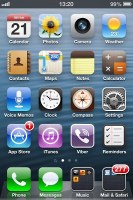
iOS is now well in its maturity and one cannot help but admire the great job Apple did right from the start. We mean, you wouldn't know by just a casual look which generation it is you're dealing with. Things haven't changed dramatically over the years and the back-bone of the OS - the Springboard - looks more or less the same. Yes, it's a standard-setting homescreen but not absolutely impossible to improve on. Widgets for one could have made the right difference for some users.

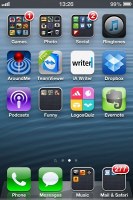
The homescreen is virtually the same, unless you're looking at it on the iPhone 5 where the bigger screen allows an extra row of icons.

The four docked icons at the bottom stay in focus as you scroll through homescreens. Adding folders to the dock is available, letting you accommodate more apps into the same limited space.
Apple iOS 6 Review Apple iOS 6 Review Apple iOS 6 Review
iOS 6 Springboard

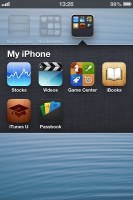
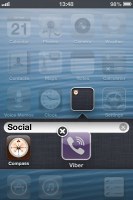
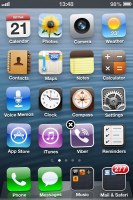
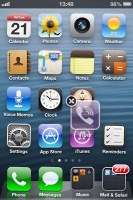
Apps can be dragged and dropped to rearrange the grid and dropping one over another will prompt a folder to be created. The cool shaking animation while reordering apps is still present.
Apple iOS 6 Review Apple iOS 6 Review Apple iOS 6 Review
Reordering apps, creating folders

The lockscreen has seen no changes since iOS 5.1.1 - the camera toggle is constantly there (no need to double-press the home button) and instead of a press tap, it starts the app with a swipe up on the screen.

Apple iOS 6 Review Apple iOS 6 Review
The lockscreen

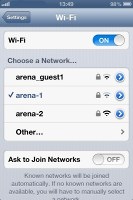
The Settings menu has seen some changes in iOS 6. The various power toggles like Wi-Fi and Bluetooth have been moved to the top for more convenient access.

The new Do Not Disturb feature is right there near the top as well, alongside Notifications.

The brightness setting has been merged with the wallpaper selection and there's a new Privacy section in the main menu.

Finally, you get dedicated Twitter and Facebook settings, on which we'll focus later on in the review.

Apple iOS 6 Review Apple iOS 6 Review Apple iOS 6 Review Apple iOS 6 Review
The settings menus

There are three new wallpapers to choose from in iOS 6 and of course you can still set any of your photos as wallpaper.

Apple iOS 6 Review Apple iOS 6 Review Apple iOS 6 Review Apple iOS 6 Review
Three new wallpapers

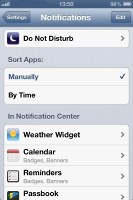
Do Not Disturb gives users further control of notifications. If turned on, it will mute incoming calls or alerts. You can allow calls from your favorite contacts and have the option to set a specific time interval in which you won't get any notifications.

There's a dedicated toggle to activate the DND feature and it can be customized in the Notifications submenu. When Do Not Disturb is on, a crescent icon appears next to the clock in the status bar.
Apple iOS 6 Review Apple iOS 6 Review Apple iOS 6 Review
Do Not Disturb

With iOS 6, users have more control over sounds and vibration. You can set any of your available tracks as a ringtone, tweet or text alert, etc. You can also customize vibrations for each type of notification with a choice of 7 presets and extra custom vibrations. Of course, as before, you can also choose to Buy More Tones directly from the sound settings.

Apple iOS 6 Review Apple iOS 6 Review Apple iOS 6 Review
Choosing a tone and vibration

iOS 6 feels improved in terms of speed too. The iPhone 4S, on which we tested the OS, felt snappier.

Next Page » 3. Notifications, phonebook, telephony
2. User interface
  1. 1. Introduction
  2. 2. User interface
  3. 3. Notifications, phonebook, telephony
  4. 4. Messaging, mail, text input
  5. 5. Photos with Shared Photo Stream, music and video players
  6. 6. Camera, Safari and benchmarks
  7. 7. Siri, Facebook integration, Maps
  8. 8. New App and iTunes stores, iCloud, Passbook, activation, OTA updates
  9. 9. Organizer and apps, accessibility, lost mode
  10. 10. Conclusion
  11.  
  12. Apple iPhone 5 specification
  13. Apple iPhone 4s specification
  14. Apple iPhone 4 specification
  15. Review comments (136)

Reviews Apple iOS 6 reviewPage 2
  • Comments (136)
  • iPhone 5
  • iPhone 4s

Phone finder

  • Samsung
  • Apple
  • Huawei
  • Nokia
  • Sony
  • LG
  • HTC
  • Motorola
  • Lenovo
  • Xiaomi
  • Google
  • Honor
  • Oppo
  • Realme
  • OnePlus
  • Nothing
  • vivo
  • Meizu
  • Ulefone
  • Alcatel
  • ZTE
  • RugOne
  • Umidigi
  • ZEED
  • Oscal
  • Sharp
  • Micromax
  • Infinix
  • Asus
  • Tecno
  • Doogee
  • Blackview
  • Cubot
  • Oukitel
  • Itel
  • TCL

All brands Rumor mill

ADVERTISEMENT

Popular reviews

Oppo Find X10 Pro Max review
vivo X500 Pro Max review
Apple iPhone 18 Pro Max review
ADVERTISEMENT

ELECTRIC VEHICLES

BMW to bring Level 2 advanced driver assistance to German cities in 2027 BMW to bring Level 2 advanced driver assistance to German cities in 2027 2026 BMW i5 xDrive40 reviewToyota and Waymo team to deliver driverless taxis in Japan
ADVERTISEMENT
Ads by Playwire

Home News Reviews Compare Coverage Glossary FAQ RSS Youtube Instagram TikTok Facebook Twitter

© 2000-2026 GSMArena.com Mobile version Android app Tools Contact us Merch store Privacy Terms of use